


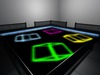
GCD - DELUXE DANCE FLOOR
1) You can set the floors top texture to one of 12 finishes, including classic disco squares, ballroom or urban styles.
2) You can set to ANY color using the remote controlled ‘Color Picker’.
3) Includes unique ‘Color Cycle’ mode that constantly changes the colors.
4) Includes over 100 animated textures. (50 black & white + 50 full color)
5) Includes 'Auto/Random' Texture Cycle that constantly changes the FX texture.
6)You can set access permissions for the remote to Owner,Group or Public via notecard.
7) You can set the texture, color, color cycle,texture cycle, glow and on/off all via Remote Control or HUD
8) All items are Copy & Modify(not scripts) So you can resize to fit your club
9) It uses low lag Mono Scripting and ‘Link Set’ technology, so it uses very few scripts and so keeps ‘Lag’ to an absolute minimum.
10) The pack comes with optional styles of outer ring and stairs - 'Klub' style for the more sophisticated style club and 'Urban' for the more industrial/street style.
The Pack Includes Copy & Modify:
1) The Deluxe Dance Floor Itself (7 prim)
2) Remote Controller (11 prims) (see pics)
3) Remote Control HUD (0 Land Impact)
4) An Optional (Sunken)Outer Ring In 2 Styles - 'Klub" & 'Urban" (5 Prim LI) (100% MESH)(Materials Enabled)
5) Plus Optional Stairs (1 Prim) & Barriers in both 'Klub' (9 prim) & 'Urban'(19 prim) Styles (100% MESH) (Materials Enabled)
SETTING UP
Just Rez and place in position.
***You can change the top texture of the floor by just clicking on the 'Top Layer' button on the remote and choosing from the drop down menu. Options are Classic, Ballroom, Urban, LED, One Square, Dirty Disco, Dots, One Dot ,Grime Dots, Mesh, Hexagons & Industrial.. Just choose the one that best suits your club.
If you want to add the 'Outer Ring' section & 'Barriers' , choose from the 2 styles available 'Klub' or 'Urban' and rez these also and position. All parts are Modify enabled so you can use ‘Stretch’ in edit mode to make them smaller if you wish but please make sure the ‘Stretch Textures’ box is checked or you’ll mess up the textures.
The Dance Floor with the “Outer Ring Section” is designed to be sunken into the ground as you can see in my store. So you may need to adapt you build to accommodate this but it’s not essential, you could just as easily have steps going up to the Outer Ring and then back down to the other side. (Its up to you).
I've also included some optional steps and barriers to go around the edge.
Once in position Rez the ‘Remote Controller’ inworld or attach the HUD version of the controller that attaches to your screen (Just right click whilst in your inventory and choose 'wear"
REMOTE FUNCTIONS
COLOR PICKER.
This is the section on the upper left.
Just click on the ‘Color Picker’ to set the color you want and then use the ‘greyscale’ section just to the right to adjust the light/darkness.
Using this section, you can set it to any color you want.
Below this in the lower left you’ll see a selection of pre-set colors. You can edit these if you wish, all you need to do is change the color of the pre-set prims and the script will automatically find the new color you set it too.
COLOR CYCLE MODE
The ON/OFF button in this section turns on the ‘Color Cycle’. This automatically changes the color for you and cycles through a selection of colors. When in use you will see the lights on the outer ring section go out, this is an anti-lag device.
TEXTURE PICKER
The right side of the Remote Controller is the Texture Section.
You’ll see there is a choice of 12 textures to choose from here.
Below this you will see some arrows. Click on these and you will see the textures change giving you a further 12 textures (Total 100)
There are 50 grayscale textures that can be used with the color picker / cycle and a further 50 full color animated textures. The color textures are best viewed with the floor set to white -***So just click on the 'COLOR TEXTURE RESET' buton to reset to white so you get the full color effect*** The Outer Ring section color will not be effected.
TOP LAYER BUTTON
This gives you a selection of textures for the top layer of the floor. Click on this button and a menu will drop down where you can select one of the following options : Classic, Ballroom, Urban, LED, Dirty Disco, Dots, One Dot ,Grime Dots, Mesh,
Hexagons, Industrial & Clear.
ANIMATE SPEED BUTTON
Sets how fast the texture animations speed is. Choose Slow, Medium or Fast.
The default is fast so if you turn the screen off and on again it will revert back to fast.
COLOR TEXTURE RESET
Resets to a neutral white for color textures
AUTO TEXTURE CHANGE
This turns the random texture selector on. Just click again to turn off.
GLOW SETTINGS
In the bottom right you will see the ‘Glow’ section. Choose the floors glow settings from here.
ON/OFF
And in the far right top corner you will see the ON/OFF power switch.
- Mesh Dance Floor
- Scripted Dance Floor
- Dance Floor
- ダンスフロア Tanzfläche Piste de danse Pista de dança Pista de baile


wonderful product
I can confirm this dancefloor is a must have. Although I bought it for private use into our home, but since its resizeable, it fits purrfect.
Thank you feel like dancing every time I am on this floor!
Excellent
The description tells what it does so I don't need to repeat but to say it does everything it's supposed to do and the remote controller is easy to use.... comes with the surrounds which you can use or not... another excellent product from this builder.


