


I-Mocca 60 - Info Hud
-------------------------
Hello sailor,
Thank you for your interest in the I-Mocca 60 Info Hud.
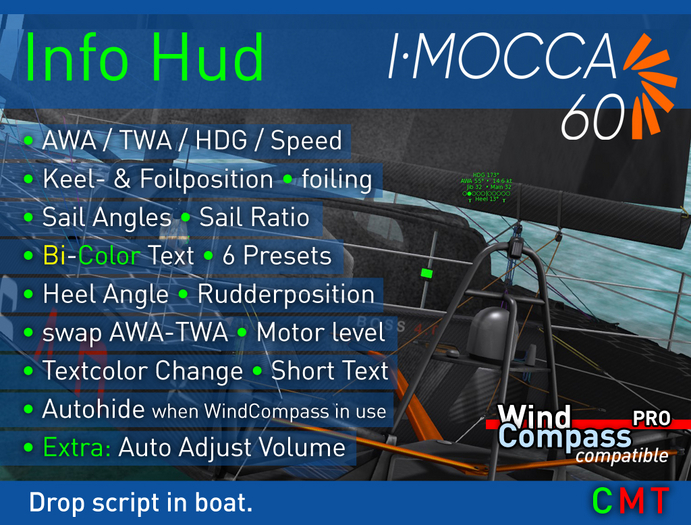
This is a fully configurable Bi-Color Text Hud and shows Boatparameters on the boat and in WindCompass
It replaces the former KeelHud AddOn and the AutoAdjustVolume AddOn.
Features:
● 6 Display Presets
● Spin, Code, Jib and Main angle - optional in Bi-Color (BWind colors)
● Sail Ratio - sail effectiveness
● AWA (apparent wind angle)
● TWA (true wind angle)
● engine level
● heading
● boat speed
● Keel position - 8 Styles
● Rudder position
● Foil position
● Foiling status
● heel angle
● Autohide, if WindCompass PRO in use
● Support for SailTrimDisplay in WindCompass PRO
● enables Find Boat function in WindCompass PRO
● adjust text height, color and opacity, short text option
By default its located on the rear of the boat. It switches ON, when you start sailing.
Text is shown by using the standard BWind colors or you can select your own color.
A Bi-Color mode shows separate BWind colors for Spin/Code/Jib and Mainsail.
Different Presets are offered to show all or just selected info.
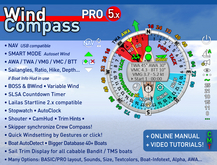
The Info Hud works as well in conjunction with WindCompass PRO (v4.5 and up) which can show
engine level, headsail- and mainsail trim colors, angles, ratio, heel angle, keel/rudder/foils position and foiling status
WindCompass detects an Info Hud and shows the Info automatically.
While you wear the WindCompass PRO, the Autohide function disables the Info Hud text on the boat
and Compass shows this info instead. By default its enabled and can be changed in both devices:
- Click below WindCompass ring to switch it on/off (or minimize WindCompass)
- Long Click the boat to open Info Hud options and select 'Autohide'.
Installation:
------------
- Make a Backup copy of your boat
- Drag this script onto boat.
A possible previous Info Hud version and the AutoAdjustVolume AddOn will be automatically uninstalled!
Thats it!
Options:
----------
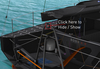
- Click the rear navlight, to hide / show the InfoHud.
- Long click anywhere on the boat to enter the Options menu. (The Boat menu may open too, you can ignore that.)
The Info Hud enters "Settings Mode" and shows a preview of your changes.
- After a short time without input, the Settings Mode will be closed automatically
some little Extras:
----------------------
- Auto Adjust Volume function: The boat gets quieter, when slowing down
and a quiet water lapping sounds up when it comes to a full stop.
Enjoy to play with your new Info Hud!
Happy Sailing :)
Kim
Note:
Free Updates! - wear the Unpacker Hud.
I-Mocca 60 and WindCompass PRO sold separately.
- show AWA / TWA / HDG / Speed
- show Sail-, Keel- & Foilposition & foiling
- Display Presets
- show motor setting
- on off, color change, compatible to WindCompass


Done Again
Thanks again for a great hud ,works great. does what is promising .
Great and essential HUD
Kim did it again!
I like to sail by the numbers first, adjust afterwards based on feeling that is lacking anyway behind my desk in SL. :-)
Great little script
Well worth the money. First upgrade I made to the boat. Not having a keel and foil position indicator is an oversight by the manufacturer imo, but one easily corrected by this HUD. If you are new to adjustable keels and foils, this makes your boat MUCH more enjoyable to sail. I prefer this hud to having the info on my compass so the info is available to my crew also. Great product, 5 stars.
Great as it is, my only suggestion for the future would be to add a "degree of heel" meter to be able to optimize your foiling. Not sure if that is even possible, and you get a feel for foiling pretty quick, but would be nice to have on this boat.
Easy installation.. you don't need to know anything about scripting, just drag and drop on the boat and it does the rest.