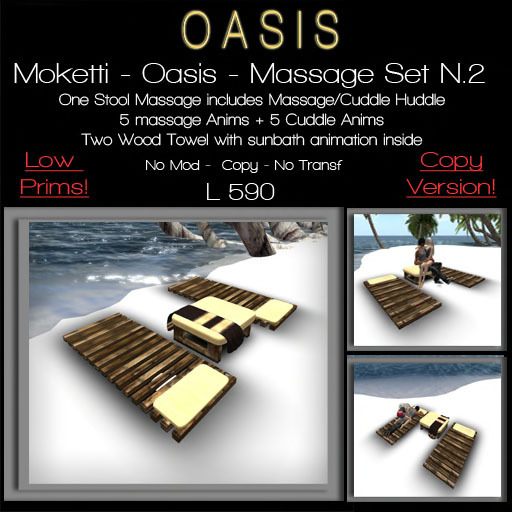

MOKETTI - OASIS - Massage Set n.2
- Stoll with 5 Massage anims & 5 Cuddle Anims
- Wood Towel WIth Sunbath Animations
FEATURES
- Positions can be adjusted and saved into memory (backup is easy: select Memory Dump and copy-paste into notecard)
- Portable, can be worn and used everywhere
- Option to adjust height offset (Z) of all poses at once (for different persons/locations).
OPERATION:
- Click the "Massage Set" object to switch it on
- When everything has loaded click again for the menu
- Select a submenu containing poses, poseballs will appear automatically
- Sit on your poseball (Right-click - Sit)
- Select a pose, the animations will start
- To return to the default stand pose, select 'STAND'
- To remove the balls, select 'STOP'
- To switch-off, select "ShutDown" twice (but you can leave it on after use).
TO ADJUST POSITIONS:
Select a submenu containing the pose you want to adjust, sit on the balls and select the pose you want to adjust.
Go back to the main menu, select "Options - Adjust Pos", this way the balls are changed into transparant beams. Right-click a beam, select Edit to adjust the position (hold Shift to select both beams). You can position the balls anywhere within 10m from the Massage Set object.
"Save Pos" will store the position into memory.
TO MAKE A BACKUP:
The positions will still be kept in memory after shutdown/restart or when the "Massage Set" is put back in your inventory. The positions will be lost only when the memory script is reset (or when it crashes f.i. when it's too full: "Script run-time error / Stack-Heap Collision"). A backup can be made on the .POSITIONS notecard, when the memory is empty it will read the .POSITIONS notecard automatically.
To make a backup select "Mem Dump", copy the complete dump (from Chat-History) and paste it into the .POSITIONS notecard (just replace everything, you don't need to edit/format anything).
TO ADJUST HEIGHT OFFSET (Z):
Select "Height Adj" and click the "Z"-buttons, this will adjust the height for all poses. (Note: the offset height is stored in the Object Description, so any descriptions will be replaced).
ACCESS TO THE MAIN MENU:
The owner is the only one who can start/restart/shutdown, in all cases.
- if "Options - MenuUser" is set to OWNER: the owner is the only one who can access the menus
- if "Options - MenuUser" is set to ALL: anyone can access the MAIN MENU
- if "Options - MenuUser" is set to GROUP: members of the same Group as the MLP object can access the MAIN MENU (the MLP Group can set by right-clicking MLP and selecting Edit, More >> General tab - Group: Set)
Note: even if "MenuUser" is set to ALL or GROUP, individual SUBMENUS can still be blocked (you can define access for each submenu in .MENUITEMS, see examples in .MENUITEMS).
POSEBALL ACCESS:
- if "Options - BallUsers" is set to ALL: anyone can sit on the ball
- if "Options - BallUsers" is set to GROUP: only groupmembers can sit on a poseball. The balls will check if the person who tries to sit on the ball belongs to the same Group as the ~ball object (to set the Group of the ball, take a new copy of the MLP with your preferred Group set active on you. You could also take the ~ball out of the MLP, into the world, right-click, Edit, More >> General tab - Group: Set, thereafter take the edited ~ball into your Inventory (note: do this within a minute or so, because balls commit suicide after a while when taken into the world), delete the old ~ball in the MLP, and drag the new ~ball from your Inventory to the MLP).
- Stoll with 5 Massage anims & 5 Cuddle Anims
- Wood Towel WIth Sunbath Animations
