Have you ever wanted to highlight something in your store or home? Then this light is for you!
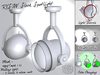
As long as people looking at it have both Local Lights and ALM (Advanced Lighting Model) enabled in their prefs, they'll see this light as a spotlight, illuminating your object, and nothing else.
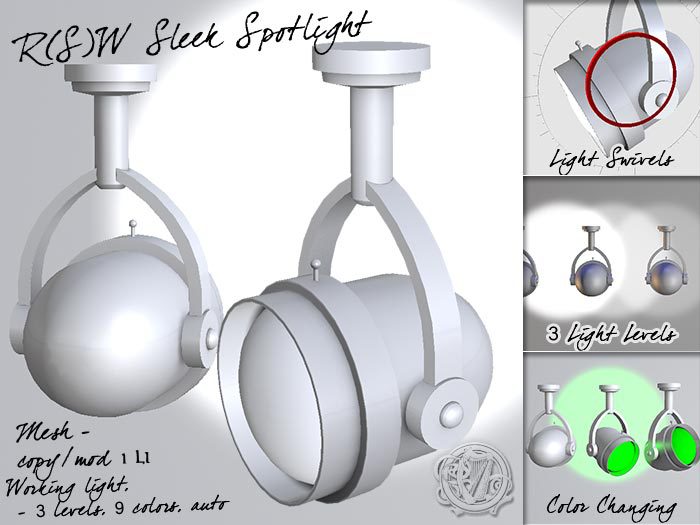
The spotlight is copy/mod, and white by default, so you can put out a whole string of them, or use them on many things. You can also tint the spotlight and bracket any color you like, or make it any size you need. (Instructions for that are included if you don't know how to do it. LI is likely to increase at large sizes.)
The bounding box for the spotlight and bracket are identical, so you can easily swivel the light to aim it at anything! (You must enable "Edit linked" and local axes for swiveling. Instructions are included for that, too.)
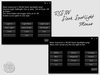
• Simply touch the spotlight (not the bracket) to get the menu. Works for anyone in the group the spotlight is set to.
• There are 3 intensities of light included in the menu, or you can edit the light to have any intensity you like.
• There are 9 colors of light you can choose from the menu (White, Yellow, Orange, Red, Magenta, Purple, Blue, Green and Teal.) Or edit the light for any color.
• When you choose a color from the menu, the bulb and the light cast change to that color.
• When the light is on, the inside rim of the spotlight is the same color as the light, so it looks like it's really shining. When it's off, the rim is white.
• You can choose to have the light on at night, and off during the day. (Auto Light) The light will maintain the intensity and color chosen from the menu.
• If you want to, you can set the light to Fullbright, so it looks like it's on, but doesn't cast any light. Not sure why you might want to, but you *can*.
• The menu also allows you to toggle a glow around the bulb. Or you can set that manually, of course.
This light is perfect for displays of any kind. Come check it out at the main store on Livingtree!
See item in Second Life- Working Spotlight - Highlight anything you want, with real light!
- Two Parts - Swivel light to aim it anywhere
- Menu driven - Color light any one of 9 colors, automatically colors bulb, too
- Low LI - Just 1 LI for both the spotlight and its bracket
- Copy Mod, so you can tint the spotlight, or tint the light any color


