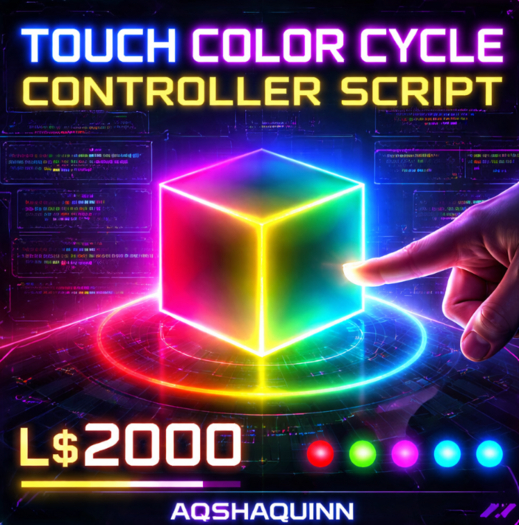

Bring your creations to life with a simple yet powerful interactive color control system designed for Second Life objects. The Touch Color Cycle Controller Script is built to make your builds more engaging, dynamic, and visually appealing with minimal setup. Whether you are a builder, scripter, shop owner, or event designer, this script adds a layer of interactivity that users instantly enjoy.
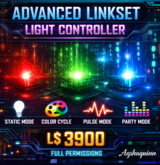
This script allows any prim to change colors instantly when touched. Instead of static objects, your builds become interactive elements that respond directly to avatars. The script cycles through a predefined list of vibrant colors including red, green, blue, yellow, magenta, and cyan, creating a lively effect suitable for modern builds, cyberpunk environments, clubs, stores, gaming setups, or decorative objects.
One of the biggest advantages of this system is its simplicity. You only need to drop the script inside a prim and it immediately starts working. No complicated configuration or setup is required. On rez, the object automatically sets its initial color, and every touch cycles to the next color in the list. When the final color is reached, the system loops back to the first color, ensuring continuous interaction without any interruptions.
Performance optimization is another key feature of this script. In Second Life environments where scripts can affect region performance, having a lightweight and efficient script is important. This color cycling system uses minimal resources while still providing a smooth and responsive experience. It is designed to run efficiently even when used across multiple objects in a build.
The script is also extremely customizable. Creators can easily edit the color list to include any colors they want. For example, builders creating themed environments can add neon tones, pastel colors, dark ambient shades, or even brand-specific color palettes. Because the color system uses vector values, advanced users can fine-tune lighting aesthetics and match specific visual themes.
This makes the script especially useful for:
Interactive decor
Club lighting effects
Cyberpunk themed builds
Gaming arenas
Showrooms and product displays
Event stages
Art installations
HUD controlled visual prototypes
Learning LSL scripting
Creators who sell products on the marketplace often look for small interactive features that make their products stand out. A simple touch-to-change system encourages avatars to interact with objects rather than just looking at them. This can increase user engagement and improve the overall experience of a build.
Another benefit is that the script is beginner-friendly. Even if someone is new to LSL scripting, they can understand and modify this script easily. The structure is clean and organized, making it a great learning example for those who want to study how touch events and color functions work in Second Life scripting.
For more advanced creators, this script can also act as a foundation for larger systems. It can be expanded into:
Menu-based color controllers
Multi-prim synchronized lighting systems
Animated lighting displays
Smart interactive furniture
Party or club lighting controllers
Roleplay interactive objects
Because it uses a list-based color system, expanding the script is simple and flexible. Builders can add dozens of colors, random color modes, glow effects, or particle integrations if they want to develop more advanced products.
This script is also perfect for store creators who want to provide customization options to customers. Instead of selling multiple versions of the same item in different colors, sellers can offer one product that allows the buyer to change colors instantly. This improves customer satisfaction and reduces product management complexity.
The script is designed with clean logic, making it reliable and stable during long usage sessions. Whether used in personal builds, commercial products, or creative experiments, it maintains consistent behavior and quick response times.
Additionally, this script supports full permission usage, which is highly valuable for developers and creators. This allows builders to modify, integrate, and incorporate the script into larger projects or commercial items. Full permission scripts are especially useful in Second Life because they allow creators to expand functionality and develop unique systems.
Another great use case is educational purposes. Many new scripters search for simple but practical examples to understand how touch interactions work in LSL. This script demonstrates:
How lists function in LSL
How color vectors work
How touch events trigger actions
How to cycle values in a loop
How to apply visual changes to objects
Because of this, it can serve both as a ready-to-use system and a learning tool for future scripting projects.
In modern Second Life environments, interactive builds are becoming increasingly popular. Static builds ar
- Lightweight and optimized LSL script with smooth performance
- Touch-activated color cycling system for any prim or object
- Automatically loops through multiple preset colors
- Easy to modify and expand with your own color list
- Full permission script ideal for creators and builders