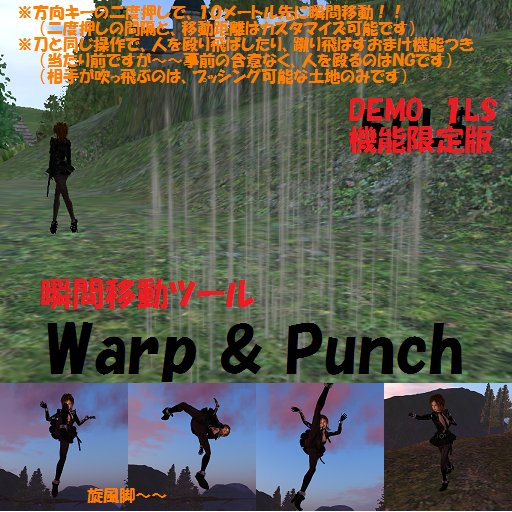

Warp & Punch & Kick (DEMO version)
1,Attach
You attach it.
Default is a left eyeball.
All positions OK.
You can change it excluding HUD.
2,Warp
You double-click the FWD key. and You jump 10 meters forward.
The interval of double-clicking is 0.5 seconds.
You can use "FWD","BACK","RIGHT","LEFT","RollUp","RollDown" key.
(You can use only "fwd" key in the DEMO version. )
2.punch and kick
Same as the sword.
Mouse's left-click + "fwd"key : One-two punch
Mouse's left-click + "right"key : Right punch
Mouse's left-click + "left"key : Left punch
Mouse's left-click + "back"key : Whirlwind-Kick
(You can use only "fwd" key in the DEMO version. )
Your punch & Kick pushes the other party.
(You can push nobody by the DEMO version. )
4,Customizing
(You cannot do in the DEMO version. )
1) You must use "CTRL + ALT + T".
2) Rez "Warp & Punch & Kick HMJ" at the ground.
3) You edit "Warp & Punch & Kick HMJ",and change "Object Description".
4) Default "Object Description" is "0.5,10,0".
5) "0.5" is means double-click 's click to click interval.
6) Default is 0.5 second.
7) "10" is means jump distance.
8) Default is 10 meters. MAX 64 meters.
9) Take "Warp & Punch & Kick HMJ", and use it.
-------------------------------------------------------------------
haruki Yifu's product. Please search by "HMJ".
- Movement tool at moment
- You double-click the FWD key. and You jump ten meters forward.
- With animation of punch


Barely see that its a DEMO in the picture
Well, yeah I know it is only a 1L but u can barely see it is a DEMO, no mention of that in the text.
Also, when I wore it it took off all my other clothes.


