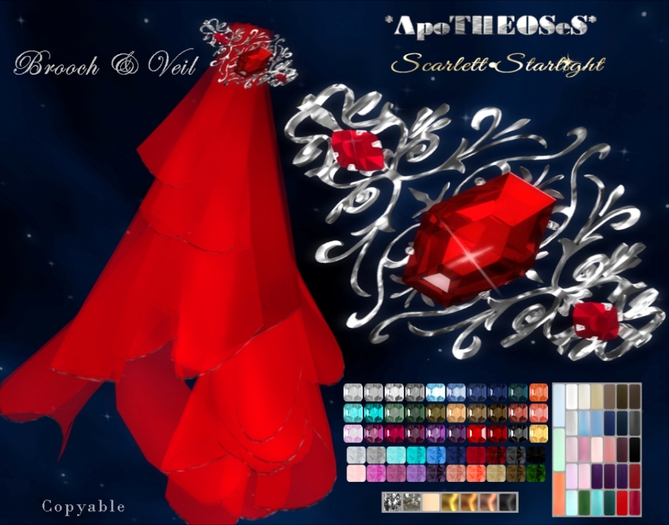


These Brooch come in 2 Version
~ 1 with the veil attach
~ 1 with out veil (keep lower complexity
These lovely Sophisticated Brooch are Done with 2 kinds of GEMS: Emerald and Marquise Gems, Elegance and Class to your outfit!
The veil move very slow to give a natural FX.
Amazing choice of colors Gems:
- 30 colors to Emerald Gems
- 20 colors to Marquise Gem
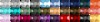
- 34 Colors Veils face 1 & 2 ( this mean you can mixt the face of the veil with 2 different colors)
- 7 metals colors for the main Brooch
- 7 & 6 Metals colors for the prong Gems.
Also I have include on little button: ''Hides Veil'' just to make the illusion the veil gone (they go transparency) to have the veil back, just click to any color veil :))
all on one Easy click HUD.
Copyable!
Also I did these Special Brooch specially to match with my new Elegant outfit
*AS* Scarlett Star bright Dress (come in 16 Colors choice with 2 fatPack light colors of 8 and dark colors of 8 ....plus one exclusive fatPack gift the Sunrise colors!
On this collection you will find this Stunning Luminescence Diamond & Gems Jewelry Set *AS* Luminescences Diamond & Gems, come on Copy or Transfer Right.
Don't Miss the new Hair Brooch as well :))
*AS* Brooch ~Hair ~Scarlett Starlight
How use the Brooch:
~ Left Click the veils or the the lower point of the Brooch to resize
~ Left Click the Central Emerald or Marquise gem to Bling On/Off
Use the HUD (add it to your computer screen and Click to the button) to change the color of the Gems, Metal and veils.
Visualizar vídeo »- Collection Scarlett Starlight
- 30 colors Gems Easy Click HUD
- 7 Kinds of Metal on HUD
- 2 Kinds of Brooch, one with out and with Veil
- Can be add to any of your Dress to give Formal Touch


