![[:AT:] ATLS Motion Sensor](https://slm-assets.secondlife.com/assets/37835625/lightbox/AlchemyBeta_1jAFR6eFYI%20%28Marketplace%29.jpg?1764682486)
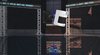
Motion Sensor Light Switch that sends an on signal to its light group when movement is detected!
Additionally can also set it to only work at night!
These instructions assume you already own an ATLS device, and familiar with how to set them up and such. (read the notecard that came with your ATLS product)
Hook this up to the Lights like as if it was a regular switch! Set the description of the MotionSensor to the same description that your lights use!
The lights with that description will be switched on and off by the MotionSensor when movement is detected!
Do not use regular switches on the lighting group with the MotionSensor!
If you require advanced solutions like a switches alongside MotionSensor, or multiple MotionSensors, use the ATLS Logic Gate switches to better define what happens!
"Then the night came, and the lights turned on too late!"
You can thinker with the notecard inside the contents of the MotionSensor unit!
Range sets the distance in meters the sensor will see, maximum is 100 meters
FOV is the field of view the sensor will see, this is set by LSL sensor radius, 3.14 (or PI) is a full circle, half of that is half circle
sunz is the maximum height of the sun in the sky where the motionsensor operates, if sun is higher than this value, the motion sensor does not operate!
This sunz number works by the height of the sun in the sky, 0 is perfectly on the horizon, 1 is perfectly over top at zenith, -1 is perfectly under the sky.
Generally numbers below 0 indicate night, and above 0 indicate day time
set it to 1 if you want the MotionSensor to operate day and night, set it to 0 to operate only at night
Set it to anywhere along between 1 and 0 to operate after a certain shade of dusk and dawn
The red indicator LED on the unit shows when it is triggered on
When you add lights to the description group, reset the script, or edit the notecard (or otherwise trigger a change in contents) to reload notecard and reset the unit, so it operates the lights in the description group
You can checkmark edit linked parts, and rotate individually the mount or the MotionSensor unit, the mount's ball joint will make sure all rotations will look good
Artikel in Second Life anzeigen- PBR Materials
- Easily modified
- ATLS Compatible
- Low Landimpact

![[:AT:] Affiliate Vendors Pack (Boxed)](https://slm-assets.secondlife.com/assets/9731820/view_small/AT_Affiliate_Vendors_marketplace_image.jpg?1400972054)
![[:AT:] DLS](https://slm-assets.secondlife.com/assets/18393578/view_small/Marketplace.jpg?1505832991)
![[:AT:] ATLS Logic Gates](https://slm-assets.secondlife.com/assets/31917559/view_small/Marketplace.jpg?1659449896)
![[:AT:] ATLS2 LED Ceiling Light](https://slm-assets.secondlife.com/assets/36934198/view_small/AlchemyBeta_8CtONnJTIh%20%28Fit%201024x1024%29.jpg?1747744396)
![[:AT:] ATLS2 Fluorescent Lights](https://slm-assets.secondlife.com/assets/37059199/view_small/AlchemyBeta_Jqmg5I6WTn%20%28Marketplace%29.jpg?1750162860)
![[:AT:] ATLS2 Street Lamps](https://slm-assets.secondlife.com/assets/37770795/view_small/AlchemyBeta_r6GmOQjnMn%20%28Marketplace%29.jpg?1763474060)