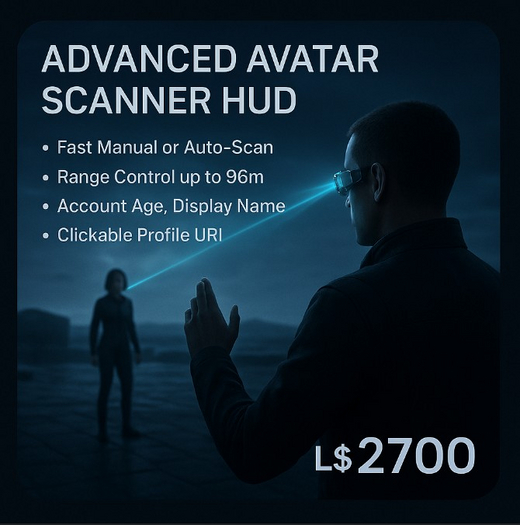



You built the tool — now sell it with clarity. The Advanced Avatar Scanner HUD v1.0 is a compact, polished LSL HUD engineered for landowners, club hosts, role-play leaders, and content creators who need fast, reliable avatar info without bloat. It’s single-prim friendly, lightweight on events, and shipped with Copy/Modify permissions so buyers can brand, tweak and integrate it into HUD collections or vendor systems.
What it does, simply: within a configurable radius the HUD detects nearby avatars, caches their keys and display names, and delivers quick, readable profile output including account age (in days) and a one-click link to the avatar’s full Second Life profile. It supports both manual scans and an optional auto-scan mode that repeats on a 10-second cycle, and its dialog menus are paginated so the interface stays usable even on busy sims. For sellers: because the script is Copy/Mod, your customers can personalize the dialog text, menu layout, or integrate the scanner into larger HUD suites.
Why buyers will prefer this HUD: first, it respects LSL limits and common workflow. The scan range is capped at the LSL sensor limit to avoid errors, and the script gracefully handles no-sensor results. Dialog listening is isolated on a random negative channel to avoid interference, and a brief listener timeout prevents lingering llListen handles. The age calculation uses a practical, LSL-safe approximation — accurate enough for account-age displays without overcomplicating the script with heavy date math that LSL doesn’t handle well.
Installation and first use are dead simple. Attach the HUD, touch it, and the owner menu opens. From there you can toggle Auto-Scan on or off, run a single manual scan, or open a paginated results list to inspect detected avatars. If you click a name, the HUD requests the avatar’s born date and returns a neat, formatted report directly to the owner’s chat: display name, username, account age in days (plus the birth date), active group info when available, and a clickable profile URI for quick access to Picks and Partner entries. All core behavior is contained in the single script; no external modules required.
Customization is where this HUD shines. Because the product is Copy/Mod, you — or your customers — can:
Change the dialog wording and button labels to match branding or language.
Reconfigure scan frequency, alter the default range, or add custom commands on the command channel.
Integrate the HUD into an existing multi-function HUD by linking the scanner’s outputs to other scripts or UI elements.
Replace the owner announcement lines with custom audio, notecard dispatches, or vendor triggers.
Use cases are practical and immediate. Club owners can quietly check who’s in the dancefloor circle without needing to track every avatar manually. Role-play masters can verify account ages and quickly confirm profile authenticity. Event staff can identify guests and open a profile link for further checks. Builders can use the scanner during parcel cleanups to see who’s nearby and check group status. Because it outputs a profile URI, it’s also an excellent tool for investigative workflows where Picks and Partner info are needed.
We also paid attention to UX details. The results dialog shows a limited number of buttons per page to avoid truncated labels and keeps navigation predictable with Prev/Next and Back controls. When someone is no longer in range or the list is outdated, the HUD politely informs the owner instead of failing silently. Auto-scan mode announces state changes so an owner always knows whether the HUD will scan repeatedly or wait for manual input.
Technical notes for advanced users: the script uses llSensorRepeat for auto scanning and llSensor for manual scans, with the scan range clamped between 1 and 96 meters to obey LSL sensor limits. Dialog channels are randomized negative integers to minimize clashes; the HUD creates and cleans up llListen handles responsibly with a timer fallback. The CalculateAge function parses YYYY-MM-DD returned by llRequestAgentData(DATA_BORN) and produces a day-count approximation using year365 + month30 + day. This approach keeps the calculation cheap and predictable in LSL’s environment without heavy edge-case overhead. When you click a detected name the script issues a dataserver request and formats a clean owner-facing message that includes a secondlife:///app/agent/… URI for one-click profile access.
Shipping includes:
The full LSL script (single file) with clear inline comments so new scripters can follow the flow.
Default HUD prim object preconfigured to attach as a HUD and announce basic instructions.
A short README that explains setup, command syntax (e.g., /1 range <meters>), and the list of modifiable fields for quick branding.
- Fast manual or auto-scan (10s repeat) with range control up to 96m.
- Account age (days), Display Name, Username and clickable profile URI.
- Paginated dialog results — clean UI even on crowded sims.
- Randomized negative dialog channel + listener timeout to avoid conflicts.
- Copy/Modify permission: easy to brand and extend.