

Hello sailor,
Thank you for your interest in the Bandit 22 LTE Info Hud.
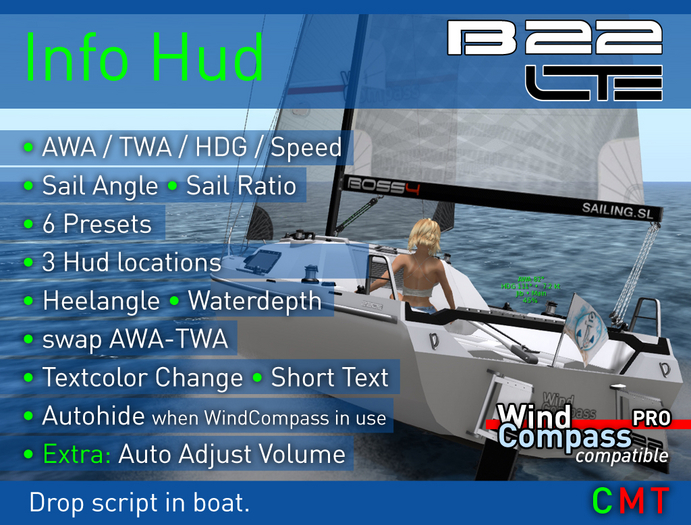
This is a fully configurable Text Hud and shows Boatparameters on the boat and in WindCompass
It replaces the AutoAdjustVolume AddOn.
Features:
● 3 Hud locations on the boat - Autoadjust in Mouselook
● 6 Display Presets
● Spin, Code, Jib and Main angle
● Sail Ratio - sail effectiveness
● AWA (apparent wind angle)
● TWA (true wind angle)
● heading
● boat speed
● heel angle
● water depth
● Autohide, if WindCompass PRO in use
● Support for SailTrimDisplay in WindCompass PRO
● enables Find Boat function in WindCompass PRO
● adjust text height, color and opacity, short text option
By default its located on the back of the boat. It switches ON, when you start sailing.
Text is shown by using the standard BWind colors or you can select your own color.
The Info Hud works as well in conjunction with WindCompass PRO (v4.5 and up) which can
show, sail trim colors, angles, ratio heel angle and water depth.
WindCompass detects an Info Hud and shows the Info automatically.
While you wear the WindCompass PRO, the Autohide function disables the Info Hud text on the boat
and Compass shows this info instead. By default its enabled and can be changed in both devices:
- Click below WindCompass ring to switch it on/off (or minimize WindCompass)
- Long Click the boat to open Info Hud options and select 'Autohide'.
Installation:
------------
- Make a Backup copy of your boat
- Drag this script onto boat.
A possible previous Info Hud version, the AutoAdjustVolume AddOn will be automatically uninstalled!
Thats it!
Options:
----------
- Click the port (left) rudder, to hide / show the InfoHud.
- Long click anywhere on the boat to enter the Options menu.
The Info Hud enters "Settings Mode" and shows a preview of your changes
- After a short time without input, the Settings Mode will be closed automatically
some little Extras:
----------------------
- Auto Adjust Volume function: The boat gets quieter, when slowing down
and a quiet water lapping sounds up when it comes to a full stop.
- Click the starboard (right) rudder to sound a ship bell
Enjoy to play with your new Info Hud!
Happy Sailing :)
Kim
Note:
Free Updates! - wear the Unpacker Hud.
B 22 LTE and WindCompass PRO sold separately.
- fully configurabe Text Hud
- show various boatparameters
- Windcompass compatible
- fully configurable


