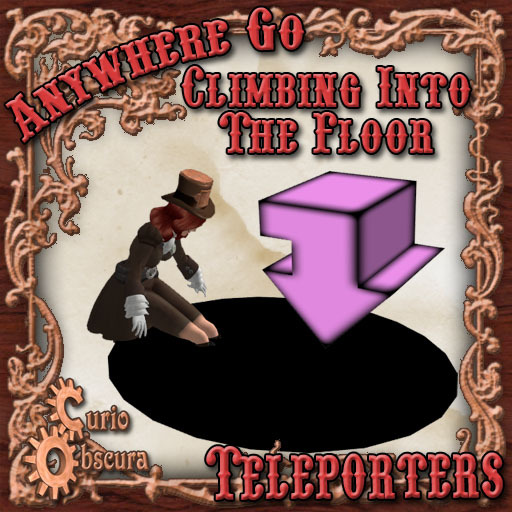


With Anywhere Go, the animated teleportation system, you don't just teleport, you go with action and flair! Available in a variety of styles, each Anywhere Go performs a unique animation for both departure and arrival. Every style of Anywhere Go is compatible with every other style so you can mix and match different styles to suit your needs.
Anywhere Go Climbing Into The Floor features an animation of climbing down into a hole in the ground and climbing back out. Use it to start or end a teleport by climbing down through a manhole, into a dark crevice, or wherever else you might want to have someone climb down.
-------------------------------
HOW TO SET UP A PAIR OF ANYWHERE GO CLIMBING INTO THE FLOOR
1) Place each arrow somewhere within the same region. Use them to connect your skybox to the ground or simply to connect different floors of your shop.
2) Point the arrow so that the point of the arrow points directly at the edge of the hole with the tail pointing outward. Don't worry about the exact position. As long as it is within 5 meters of the floor or ground, Anywhere Go Climbing Into The Floor will detect the correct height to play the animation.
3) Once they are placed, edit the description of each Anywhere Go. Every pair needs a code phrase placed in the description. That's how each Anywhere Go knows which other Anywhere Go it is connected to. It can say anything that you want. I like to use a code phrase that describes the use like "skybox and ground" or "home and office". Just make sure that BOTH Anywhere Go have the exact same code phrase. If you already have another pair of Anywhere Go on your land, make sure you use a new code phrase for each pair.
4) You can now use either Anywhere Go and it should work right away.
If you try to sit on an Anywhere Go and it says "OVERLOADED", it means that more than two Anywhere Go have the same code phrase. You should only use a code phrase on exactly two Anywhere Go, no more, no less.
If it says, "UNLINKED", it means that it could not find any other Anywhere Go with the same code phrase so you should double-check your spelling in the description of each Anywhere Go.
-------------------------------
MIXING AND MATCHING
You can use different styles of Anywhere Go together by using one from each style and using the same code phrase in the description.
The first time you use a mixed pair of Anywhere Go, they will give each other the necessary animation data to work in a mixed style. After that, they will work normally from then on.
-------------------------------
ANYWHERE GO APPEARANCE
Anywhere Go uses a simple arrow mesh which you can texture or tint however you like. You can download the UVMap texture to help you design a texture to match the mesh.
-------------------------------
SECURITY
The standard Anywhere Go can be used by anyone at any time.
If you want to restrict use to just members of the same group, use the (Group Only) version.
- Animated Teleportation!
- Set up in Seconds!


Finally I found it!
I saw this teleporter years ago at an art sim, thought it was created by the artist themselves, it was so cool and unique... But no. No, no no! It is for sale for ANYONE to grab! Wooooo! :D
Love it!
TOO MUCH FUN!
LOVE...LOVE...LOVE! Makes teleporting fun.
Best Teleporter ever
I have a LOT of teleporters but this is one of my favorites, its effective, creative, and completely weird.. Ive combined it with a puddle, and it works great.
*****
Good work. I suggest to the creator of this item, to make a mesh black hole, with depth loook and to be supplied with to this arrow teleporter in a single prim. Thanks
Cheap and easy teleport system that looks neat!
This links up with other anywhere arrows. It's a nice simple 150 lindens. It's a snap to set up, just fill in a description field. Goes well with a variety of things ranging from a simple black hole on the floor to a more detailed build your character can go into. Also it has mod perms and you can strip the script out of that arrow and stuff it into whatever else suits your needs better. All and all it's a good buy.
Certain quirks with how some viewers render meshes zipping out of view and returning quickly may lead to arrows vanishing on you. This is no fault of Ms. Wrigglesworth's coding. To ferret out missing arrows, do a firestorm object search of the area for it, right click the errant arrow and select "edit" and it will pop back into reality. Hopefully LL's betatest Project Interesting viewer will make quirks like this a thing of the past...
It's a fully working 150 linden teleport system that can be extended with other Anywhere systems sold by this shop, I say that's well worth the money!
Not worth the money

First off it doesn't come with the black hole it comes with a pink pointer that you have to click which is very tacky... second thing is once someone goes through the arrow disappears and it doesn't come back up until you relog a pain if you use it with a group of people. I am very dissatisfied with this product.


