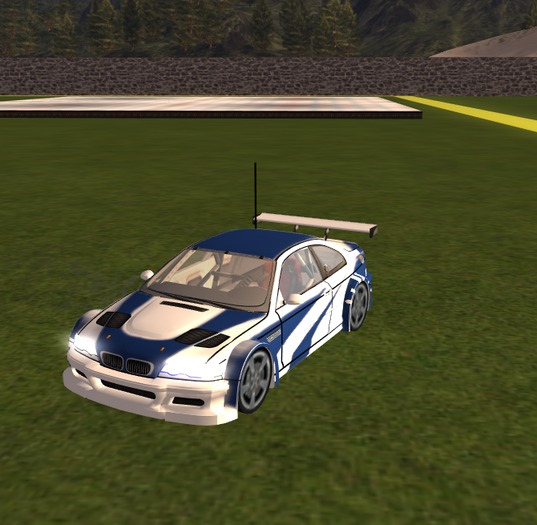

Using the Toy
-------------------------------------------
1. Select your Toy from Inventory and Rez it near you.
2. Select YES
Give the Toy permission to use
the camera controls.
3. Click your toy.
4 Use arrow keys to drive
Up=Forward
Down=Reverse
Left=Left
Right=Right
For flight RCs
Page up = Up
Page Down = Down
Using The Hud..
~1. Rez Button will Rez the Rcs near you..
~2. Kill Rc Button will Delete the Rc that is Rezed..
~3. Cam Button Will snap your cam behind the RC you have Rezed. to snap it back click the cam button again.. If ever it acts like it will not snap back take the hud off and put it back on.
~4. 3 Sizes are packed into this box and into the hud. Sizes range from Large,Medium and Small..
~5. Over Head cam is a prim that has the cam script in it like the rcs.. This prim is ment to be place where ever you want it and to give you a some what over head veiw..
- 3 Sizes
- Great Sounds
- Moving Wheels
- Hud interface
- Follow Cam


So much Potential..I hope to see more! :)
This little toy is adorable and filled with so much potential, but is unfortunately very difficult to use.
You've got 3 camera options; two of which I could get to work, and the other is not very well explained in the notecard.
Option 1 is the standard "no cam", which seems to be the only 'smooth' viewing experience. Your cam stays with your avatar and you can control the RC car, but you're unable to look left or right without Ctrl/Alt camming (which resets the moment you press a movement key), which is a bit inconvenient, as this adorable little car can very quickly zip out of your view.
Option 2 is a cam that follows the car, but is unfortunately extremely jittery and shaky looking. Everyone else can see your car move smoothly, but you're unable to.
Option 3 is the overhead cam option that rezes as a small red box and this is about as much as I know about it. Toggling to cam button on the HUD doesn't seem to ever change to the view of the overhead camera, and the notecard doesn't really say anything more about this option. It says to rez it where you want it, but getting the camera to actually switch to that view is still a mystery to me.
The only other issue is more of an annoyance than a problem. The sound is very unfitting very a cute little RC car. It sounds like a big muscle car and the variation of sound is minimal. It's the same sound, looped, which wouldn't be bad if it had a more fitting sound.
All of this said, the charm this little car has, and the low price, has won me over far enough to still give it at least 4 stars. It's a toy that has loads of potential and is otherwise very cute and the little car itself is thoughtfully designed; a flexi antenna, moving wheels and bright lights. If improvements were made, I'd happily pay a few hundred lindens for it! It's a cute idea and deserves a new version! :)