


BEST GUARANTEE IN SL: If you are unsatisfied for any reason just contact me for a full refund and keep the boat!
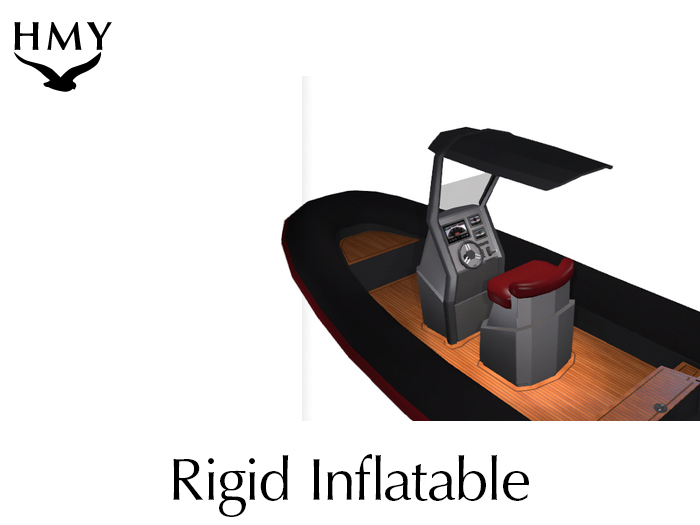
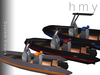
Stylish Rigid Inflatable boat is fun to drive and easy to customize.
-------------------------------------------------------------------
Instructions
HMY RIB (Rigid Inflatable Boat) Instructions
INTRODUCTION
Thanks so much for taking the time to read the instructions. If you have any problems or questions feel free to IM me, drop a notecard, or email me at brookston.holiday 'at' gmail.com. Also, I'm always looking to make the boats better. If you have a great idea for a new feature, let me know, and you'll likely see it in a future update.
DRIVING
You can begin driving your boat by right clicking and selecting “DRIVE” from the menu. Alternatively, you can left click on the drivers seat. Steering is done via either the arrow keys or 'asdw'. Pressing either 'Page Up' or 'e' will provide a speed boost. The boost feature is powerful enough to lift the boat from the water and jump short distances.
MENU
The boat contains many settings that you can change via the left click menu.
Lights – Clicking the lights button will turns the lighting system on and off. These include the overhead drivers light and the spot lights coming out from the sides and front of the boat. If you do not see the lights make sure you have “Local Lights” and “Basic Shaders” turned on in the graphics settings of your Second Life viewer.
Custom Color – Clicking this button will provide you with a color HUD to customize your boat. If you are on land that allows building, the boat will simply attach the HUD directly to you; otherwise, the boat will offer you the HUD which can be worn from within your inventory.
Select a color and tint on the left side of the HUD and apply it by clicking on the boat on the right side of the HUD. Not all parts of the boat are able to be customized. The HUD will only effect the seat, stripe, rubber inflatable portion, wood floor, and metal portions.
Top Speed – The top speed can be limited to either 10, 20, or 30 meters per second.
Sounds – You can adjust the volume level of the engine sounds. Options are high, low, and off.
Update – Clicking the update button manually checks for new versions of the boat. Otherwise, your boat will check for an update automatically every 24 hours.
Drivers – The drivers button provides an easy way to allow your friends to drive your boat. Have your friend stand close to your boat and click the Drivers button. Then select Add Drivers. Hit the Scan button and your friends name should appear on a list. Select the number that matches your friends name and from then on they will be able to drive the boat.
Towing – this turns on and off the tow bar in the back of the boat. The boat is capable of towing tubes for your friends to ride on.
APPEARANCE
The boat contains textures that use Second Life's materials system. The wood floor and the leather seat especially use bump maps to appear more realistic. You must have 'basic shaders' enabled within your graphics settings in order to see the materials.
- Best Guarantee in SL!
- Customize Colors with easy to use HUD
- Working Lights
- Wood Floor and Leather Chair fully bumped and specular mapped
- 100% Mesh


