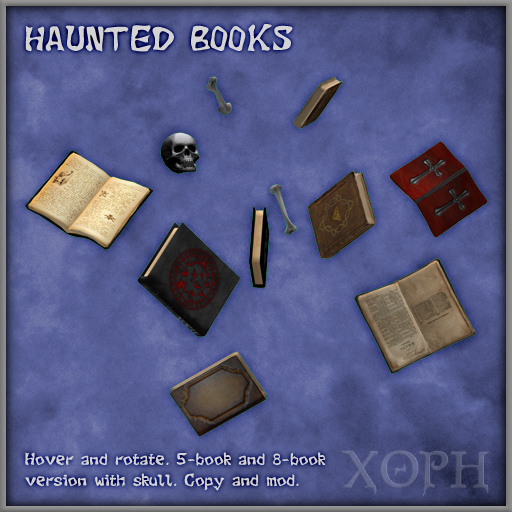

Books hover and rotate, emit mist when touched. Some other particles too.
Uses only a single script to conserve resources.
Copy+Mod prims, but script is no-mod.
Includes simple 5-book version (6 prims) and a more complex version with 8-books and skull/bones (12 prims)..
Speed and particles can be changed by editing prim descriptions. Instructions:
------------------------------------
(Optional) Editing rotation speed, particles, etc. for haunted books:
Requires you know how to:
- go into SL's edit/build menu,
- edit single linked prims (child prims) using "Edit Linked" checkbox,
- change individual prim names and descriptions.
Steps to change rotation speed or axes:
1) Edit prim descriptions (NOT names). Edit root prim for the whole set rotation, or a child prim for individual book rotation.
A description looks something like: 0.9;<1.0,0.0,0.0>, but the root only has a single number.
The first number sets speed. Try around 1.0 as a starting point.
In child prims only, that is followed by a semicolon and a rotation axis vector. If you don't know what this is just leave it or try randomly tweaking numbers :)
2) After editing, "touch" the book set. You should get some large particles for a few seconds.
New values should take effect after several seconds. Only the owner can change settings on touch!.
3) If the set or book stopped rotating:
- You may need to rerez/refresh. Right-clicking the object momentarily might do it, otherwise go in and out of Edit or rerez. SL can be finnicky about rotating prims.
- If you just can't get it spinning again no matter what, check that there is a nonzero number in prim descriptions.
Steps to change particles or color (child prims only):
The basic idea is the same as for speed, but you edit name instead of description.
A child prim has a name like: 1;<1.0,0.0,1.0>
The first number is a particle style. 0 means off and 1, 2, or 3 turn on 3 different particle styles: 1 - particles move up from book center ; 2 - particles spread out more ; 3 - fast twinkles around book.
The numbers between < > are an RGB color code. For example, red is <1.0,0.0,0.0> and blue is <0.0,0.0,1.0>
Also:
- You can move individual books in the link set to create different arrangements. It may be easier if you temporarily stop the books from rotating by setting the root prim speed to 0 (instructions above).
- You could add your own prims by setting names and descriptions as above, linking in, and then touching the set to re-initialize for the new prims. If you know how, turn off the script while editing and then restart it when ready.
Suggestion:
Use multiple book sets, at different arrangements and speeds, to create more interesting effects.
- Books hover and rotate
- Speed and particles can be changed by editing prim descriptions
- Y2K compliant, except possibly in Greenland
- XOPH XOPH XOPH XOPH
- Single script


Exactly what I wanted!
Love it!


