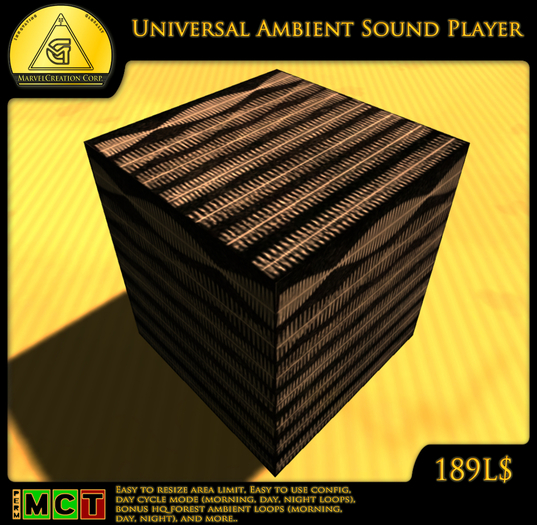

MarvelCreation Corp. - Universal Ambient Sound Effect Player is easy to use system that plays a sequence of sounds forming a loop, the system can be limited to a specific area by just resizing the box, the system features a day cycle mode which offers the option to setup a separate sound loop for morning, day, and night (region time).
The system comes with a configuration notecard in which you can turn on/off the area limit, turn on/off the day cycle mode, set sound loops for morning, day, night and the volume for each.
As a large bonus the system comes with different high-quality, relaxing forest sounds loops of 8 file per each for morning, day, and night that includes owls, wind on grass & leaves, wood peckers, and different birds signing forming together 3 natural relaxing sound loop for all times of day. The pack also includes a version of all 3 sound loops with included river sound effects in-case you have a river near by.
The system and sound loops were originally designed for Pony Chroma City, the system has proven itself for over 2 years.
::SETUP::
To setup the MarvelCreation Corp. - Universal Ambient Sound Player do the following:
1. Name your sound assets appropriately and number them starting from 1, for instance "MySound1", "MySound2",
then place them in the systems inventory.
2. Open the "config" notecard in the systems inventory, in the notecard you will find different parameters to play around with, if you want to assign different sound loops for morning, day, and night turn on the day cycle mode, now paste the name of the sound assets that you wish to assign in the morning, day, or night section of the notecard, note that if the day cycle mode is turned off the system will play the sound loop in the morning section of the notecard, you can also change the volume of all sound loops (morning/day/night) by changing the volume values in the notecard from 1 to 0 (0.1, 0.2, ect..).
3. If you want your sound loop(s) to be limited to a specific area just switch the area limit mode in the "config" notecard to 1, then resize the system to the area you wish to be effected, if not just set the area limit parameter to 0 in the "config" notecard.
4. Sit on the system to confirm the parameters and have it running, the system will become invisible and resize itself to 0.5sqm.
You can change the size of the effected area again by sitting on it, the system will resize to its area size, use the CTRL+ALT+T hotkey to easily locate the now invisible system.
NOTE: Do not rescale the system while its invisible, sit on it first to enable the setup procedure, only after that the system can be rescaled.
____________________
UPDATES & SUPPORT
For: support, updates, and suggestions contact us via our support forums (No Registration Required). We will respond to your support case as soon as possible,
you can open a New Topic in the support section of our support forums here:
http://marvelcreation.com/forum/viewforum.php?f=7
MarvelCreation Corp.
www.marvelcreation.com
Dont forget to join our support group for: help, support and updates.
secondlife:///app/group/f3a6ff30-cac8-293d-4fe8-58a670a02efb/about
_____________________________________________________________________________
MarvelCreation Corp. - Universal Ambient Sound Player
-------------------------------------------------
Presented by MarvelCreation Corp.
www.marvelcreation.com
Designed and programmed by: MarvelCreator Resident.
_____________________________________________________________________________
-DISCLAIMER-
Content provided is for entertainment purpose only and
can not be used to breach Linden Lab's Terms of Service.
Authors of the content provided are not responsible for any damage and or violation caused by the use of this product.
YOU ARE RESPONSIBLE FOR YOUR OWN ACTION'S.
Please follow the Linden Lab's Terms of Service and local region rules.

![Marvel Magic Spell Scroll Teleportation [FREE]](https://slm-assets.secondlife.com/assets/6420490/view_small/MarvelMagic_Poster_Teleportation.jpg?1350083446)


![MarvelCreation Corp. Victorian 3store Building [Pack]](https://slm-assets.secondlife.com/assets/8504467/view_small/MarvelCreation_Poster_-_Victorian_3store_Building.jpg?1380685996)
![MarvelCreation Corp. - ResidentialHouse [Pack]](https://slm-assets.secondlife.com/assets/11291909/view_small/MarvelCreation_Corp._Residential_Building.jpg?1426940343)