
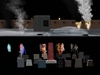
A very complex script driven set of Halloween and or horror fun that we did ourselves intending it originally only for our own land. Now available to others.
DESCRIPTION
Note: most if not all can be copied for your usage. No transfer of course and modify is on some items
Many items inside. Probably it will make the most sense to you if you consider the items inside in three different groups:
1. The Graveyard headstone group - of one main controller and 20 headstones that all work together and talk to each other
2. Items that are on or visible all of the time, such as the wall, bat cave, one mausoleum, smoke grates, fire and the like
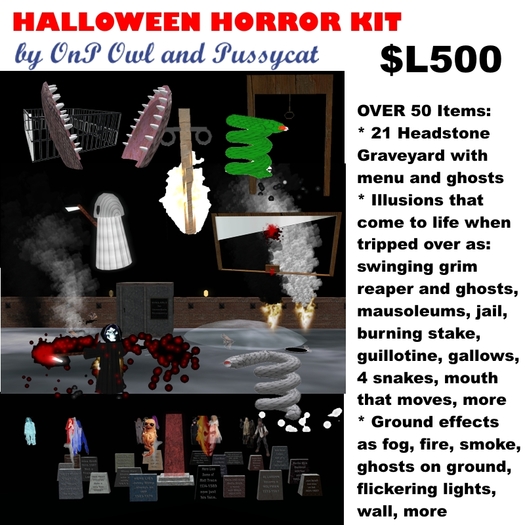
3. Items that are normally invisible and often take not many prims when at rest that when someone walks on a trap area, they light up or come to life. This last items includes swinging ghosts, illusions such as guillotine, monster mouth, stake burning, gallows, swinging ghosts, most of the mausoleums, room traps like jailer and spider web, the hallow1s items that show a picture and of course the snakes
HOW TO SET UP - the Invisible traps
You as the owner would be best doing most of the setup with SL set to show transparencies - so you can see the invisible traps. You can do that by pressing three keys at once usually - ctrl -alt and t. and the same keys will put that feature away. The pull down menu also should help with showing transparencies. Of course you do not want your customers to do this, since then they will know where the traps are - but you may need to. When you rez these transparent items, note that some may be in the air and you might have to edit and pull them to the ground. of course the lower plane area - either a circle or rectangle or square, should be sitting on the ground. That way when an avatar steps on it, they go into action. Do not worry if when you are setting up invisible items if all you see is the lower trigger area - the circle or rectangle and nothing else. To keep prims low, for many of the items the item is not created till needed - and then disappears after a few seconds. This keeps the prim count low on your sim while still allowing a high level of horror detail.
And yes, you will note that the jailer trap is very short and temporary. We tried to pick a time for people to be trapped that alarmed them, but did not give them time to teleport out.
HOW TO SET UP - The graveyard and Headstones
The trick here is to realize that all the headstones and the main one, the controller, all work together, and likely should be within about 20 meters of the main controller. (you might be able to go further since commands are “shouted” on a unique channel. Try it if you wish.) That still allows a large area of perhaps almost 40 meters by 40 meters. But the main headstone "talks" to the others to tell when the ghosts should come out, and how far they go and how often ghosts are triggered.
Left click on the main headstone - tall orange-red sort of thing to get the menu. Set the x and y items individually to give the ghosts a rough idea of how far each can wonder from their graves in meters. Speed is the speed to rez a new ghost. Number is the number of gravestones you wish to use - any number from a few to 20 - but remember, you must always use the lower numbers first since the headstone does not know what items are out there and will always start with headstone 1 ghost before repeating. Press “ignore” at any time to put away the menu. “Stop” will stop the making of new ghosts, and “Killem” will make any now visible ghosts disappear.
FOG usage
We give two setup fog items - a 64 by 64 ground fog item and a spherical bubble item. If you wish more, we also give you our coding that you can put into other items that is a script called "fog anim". How to use this script? First of all put a fog texture on the item you wish to be fog. We used SL waterfall textures dense layers 1 and 2 that we include in this package, but of course were really done by the SL Lindens I beleive. Anyway, that gives a texture. Putting our script 'fog anim' inside of the item then allows that dense layer to move around and somewhat therefore look like fog. Also remember if you make your own fog to set the object to "phantom" to ensure people can walk through it like they can in real fog.
Have fun!
These items were never originally intended for sale, but for usage for Halloween fun on our own property. However we decided more people might wish the items also and so, a year later, we now offer them to the public.
Sorry - Prim count of 70 is a very rough estimate, since the set is prim conscious and only creates prims that last a few seconds each. Of course landing (trip area) pads are always there.
Hunter Bronet for OnP Owl and Pussycat SL Tissela and Sl Marketplace
www.sl-animations.com
- Menu Driven 20 headstone graveyard with wandering ghosts
- Appearing Illusions that you step on / most can be copied
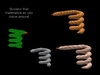
- 4 snake illusions, gallows, burning stake, monster mouth
- wall images that appear, ground fog, flickering lamps
- jail that temporarily traps you, spider web more


