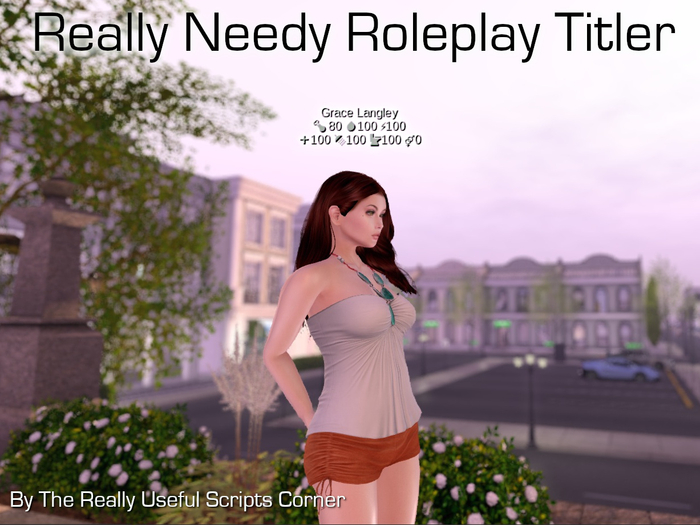

The Really Needy RP Titler works with your Really Needy HUD v2.1 and up, to display your Needs meters values as floating text over your head.
⚠ Without the Really Needy HUD, this works as a multi-line titler but the needs meters values will not update.
This purchase comes with
• Really Needy Roleplay Titler for Prey - Modify & Copy
• Really Needy Roleplay Titler for Predator - Modify & Transfer
• 2 gestures
TITLER FEATURES
• Set 3 lines of floating text individually, so you don't have to a lot of re-typing when your status changes. For example,
1st line: Character name or nickname
2nd line: Faction
3rd line: Status: afk, ooc, busy, visibly injured etc.
• Ability to insert carriage returns in each line using "\n" so in fact you have more than 3 lines to play with
• Choice of 9 practical text colours: gold, navy, purple, steel blue, royal blue, crimson, coral, white and sea green. Easy to change using a menu, not having to key in some difficult-to-remember code.
TITLER COMMANDS
• To synchronise the meter values from Really Needy HUD to your titler, say "/titler" in chat
• Say "/9 help" to display list of frequently used commands:
/9 title1 <xx>: sets <xx> as first line of text
/9 title2 <xx>: sets <xx> as second line of text
/9 title3 <xx>: sets <xx>as third line of text
/9 setcolor: menu for you to choose text colour
/9 afk: changes third line of your titler text to AFK
/9 ooc: changes third line of your titler text to OOC
/9 busy: changes third line of your titler text to Busy
/9 away: changes third line of your titler text to Away
/9 /<xx> : speaks <xx> as OOC text
OPTIONAL SHORTCUTS
• If you activate the gesture named "/afk (for Needy Titler)", you can just type /afk instead of having to type /9 afk.
• If you activate the gesture named "/back (for Needy Titler)", typing /back will say "back" in OOC and change the 3rd line of your titler to "click for more".
ROLEPLAY TAG FEATURES
If someone clicks on your titler, which also works as a roleplay tag, these are the choices on the menu:
- BIO: gives your character's biography / roleplay information card (your customised notecard in the Contents of the titler object)
- SCAN : describes appearance of your character (preset by you in the configuration notecard)
- SMELL : describes appearance of your character (preset by you in the configuration notecard)
- CAPTURE: this choice is only available on the Prey tag. The Predator can use this to put the prey into various capture poses/animations.
ROLEPLAY TAG INSTRUCTIONS
➡ To edit your rp info right click on the tag, choose Edit, go to the Contents tab, double-click on the BIO notecard, make your changes and click Save. Remember to rename the notecard with your name inserted at the end, so that the person who receives your card can see in their inventory that this is your card.
➡ To change your rp info card, right click on the tag, choose Edit, go to the Contents tab, delete the existing BIO card. Then create a new notecard in your inventory, rename it "BIO: <your name>" and then drag it into the Contents tab of the tag.
➡To change the default roles , go to the Contents tab of your tag, double-click the notecard named "**Config". Make the changes to the relevant lines and click Save. The script should reset.
ENQUIRIES, FEEDBACK OR SUGGESTIONS
Drop a notecard to Grace7 Ling. Thank you.
- Multi-line roleplay titler; lines can be set individually
- Displays needs meters from Really Needy HUD
- Capture roleplay tag for Prey with poses/animations
- Capture roleplay tag for Predator is transferable
- Quick-selection of roles possible through config notecard


