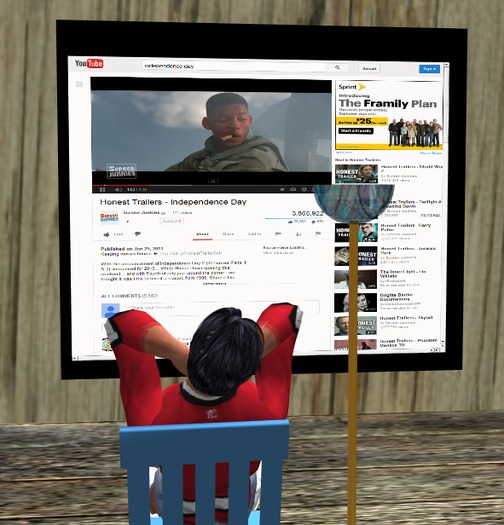


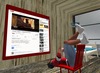
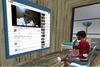

The Wingsong Big Screen TV BOP is part of our BOP (Browser on Prim) or Shared Media line, which includes inworld computers, tv's, movie screens, catalogs, and more. This technology brings the internet into your world without having to log in to First Life.
HAHAHAHAHAHAHAHAHA!
That's right - you don't even have to have your internet browser open in order to use BOP.
The Wingsong Big Screen TV BOP is preset to YouTube, bringing millions of videos to your digital finger tips without ever having to leave the comfort of your Second Life. And at only 2 prims, it'll easily fit in virtually any room.
Although this TV is COPY/MOD, it is outfitted with a convenient onboard color changer; click on the side of the tv and select from a menu of 88 colors.
FEATURES and HOW TO USE BOP ITEMS:
1 - Make sure your MEDIA is enabled (see your viewer's Preferences under the Sound & Media Tab).
2 - REZ out your item.
3 - Click on the screen or HOME Button on the task bar just above the item.
4 - Navigate using normal browsing keys.
5 - You can automatically zoom into the screen by clicking on the + button (second from the right) on the task bar. Adjust even further using your camera controls.
6 - To view your show with full screen, hover your mouse over the movie and click on the full screen icon near the bottom left of the movie's screen. To return to normal viewing, press your ESC button on your keyboard.
BONUSES
1 - You just can't watch a movie without POPCORN. So we're including our Wingsong Popcorn GLUED. This is a wonderful little item that allows you to feed your face no matter where you are.
Our Glued items do not take over your entire body. By wrangling only the top part of your body, this item allows your avatar to use your default animations in concert with the Wingsong animation embedded in the umbrella.
When you interact with animated objects or other AO's your avatar will have various potential behaviors, depending on the other object.
ADD your popcorn from your inventory. You shouldn't have any conflict with AO's but if you do just disable the AO. Your popcorn is embedded with an exceptional original Wingsong animation that has you eating naturally. Click on the side of your popcorn to hear the entire song of Popcorn by Hot Butter.
2 - And naturally, you got to have a place to SIT comfortably! We're including not one but TWO Wingsong straight chairs: The Wingsong Chair and Lamp MultiSit (3 prim) and the Wingsong Chair NonAnimated (1 prim). These chairs have alot of fun features, described further in the information sheet packaged with the television.
The popcorn and two chairs are packaged in their own boxes inside this package; REZ them out and OPEN, then COPY TO INVENTORY separately.
Everything here except the Wingsong Chair and Lamp MultiSit are COPY/MOD, and everything is COPY - so use these for your motel, estate, club, store, or humble abode.
For questions or a live demonstration of this or any of our fine/fun Wingsong products, IM Kit Ciaco!
Please Note: Don't be misled by the low cost of our items. We can afford to do this because we create excellent items and provide excellent customer service and support, and we sell ALOT of items.
See all our BOP items at our Wingsong Marketplace store; keyword: bop.
NOTE: This item has been successfully tested with SL Viewer 3.x and Firestorm 4.x. Singularity does not support this. If you have questions about compatibility with other viewers please IM me.
Ver el artículo en Second Life


Doesn't work
Don't waste your money. It does not work.
Paid for the object but didn't reach inventory
Paid for the object but didn't reach inventory


