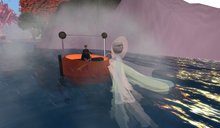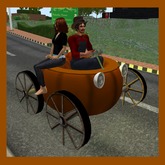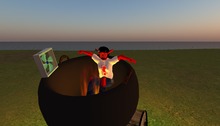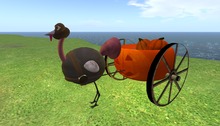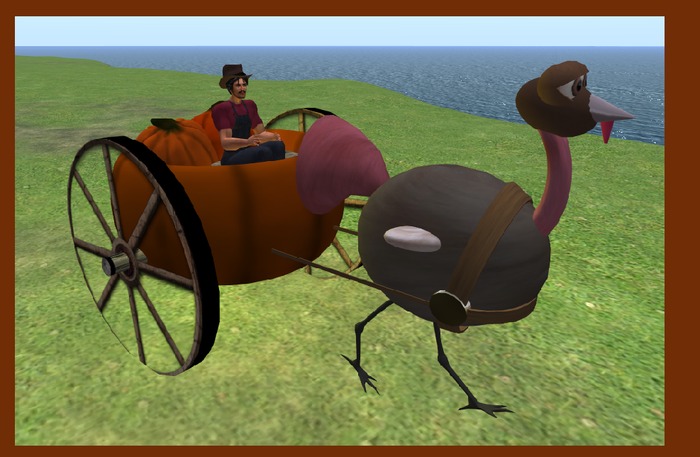

There's nothing quite like pumpkin ride - unless it's a pumpkin ride being driven by a giant turkey! OR better yet - a pumpkin ride being driven by a giant turkey ANY time of the year!
This is part of our Wingsong RIDE LITE series. These vehicles are distinguished from our ACS/KCP based vehicles (which are identified as a RIDE with a version number at the end - example: RIDE V3). The RIDE LITE system has fewer bells and whistles but tend to handle lag more efficiently because they are streamlined.
The Wingsong Pumpkin Carriage with Turkey RIDE is NOT your run of the pumpkin ride. There's a bit of whimsey in this ride. It's a RIDE/REZ vehicle so passengers are welcome. How many passengers? A BUNCH.
And your turkey is animated for even more fun! More on that in a minute.
HOW TO USE and FEATURES
1 - As the owner of the car you are the only one who gets to drive. To start your pumpkin RIGHT CLICK on a wheel and select Drive. Your passengers may right click and select Drive after you are in the pumpkin and they will sit where they point their mouse.
2 - Embedded with an original Wingsong animation for the driver - you have a little bounce which adds a sense of animation. The passengers use their default sit animation.
3 - Turn off other Animation Overrides.
4 - REZ your vehicle at a REZ zone or other land that you have REZ perms.
5 - Right Click on one of your wheels and select DRIVE.
6 - Move using your arrow keys. To stop tap your DOWN ARROW key.
7 - To activate your cruise control press both your RIGHT ARROW and LEFT ARROW keys at the same time. To turn your cruise control back off press them again.
8 - To shift gears up (go faster) press your PAGE UP key. To shift back down press your PAGE DOWN key.
9 - Your wheels turn as you move. They do not move while you are standing still, although your legs will continue to peddle. Your front tire rotates as you turn right or left.
10 - Other folks can hitch a ride by Right Clicking anywhere on the pumpkin or turkey and selecting DRIVE. They won't "drive" but they will sit where they point, using their default AO.
11 - Your turkey is well animated; its legs move and it flaps its wings when you drive your wagon. In fact, it will begin its activity as soon as you sit down on the wagon, though you won't actually move until you press your arrow keys or activate the cruise control. His eyes blink/wink, and for additional animation his tail and wattle is flexied.
12 - Your turkey gobbles one of 2 different sounds randomly every 2 to 4 minutes. You can toggle this feature on and off by clicking on its tail.
Your pumpkin is COPY/MOD, so make all the copies you want and recolor, redecorate, resize, retexture, reDO to make it fit YOUR specs! Do NOT reposition the prims from their original orientation.
For questions or a live demonstration of this or any of our fine/fun Wingsong products, IM Kit Ciaco!
Please Note: Don't be misled by the low cost of our items. We can afford to do this because we create excellent items and provide excellent customer service and support and we sell ALOT of doodads.
We make alot of vehicles and animated pets at the Wingsong Dojo - available at our Marketplace Store. Keywords: vehicle, alive.
See item in Second Life