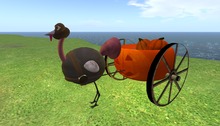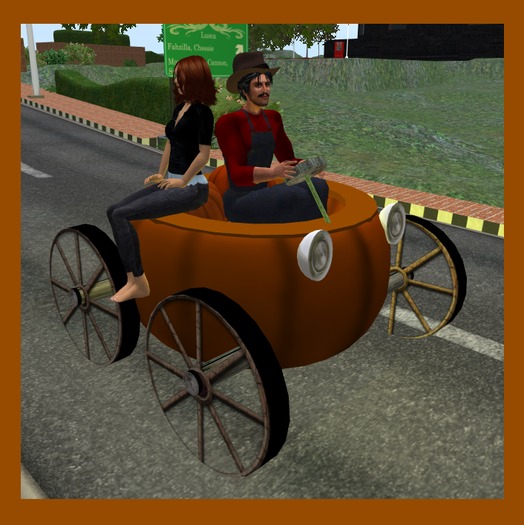


No matter WHAT the season, it's always fun to tool around the grid driving a fun little Pumpkinmobile. That's exactly what the Wingsong Pumpkin Car RIDE is - a giant pumpkin converted into one of the nicest little cars you'd ever want to own. VERY easy to maneuver with a solid cruise control and gear system that ranges from 1 meters per second up to 50 meters per second. Steering has been worked and tweaked and reworked by our master mechanics here at the dojo so you can enjoy a very steady drive.
This is a RIDEABLE REZ vehicle; you must REZ it out in a REZ zone or land for which you have perms, and it supports passengers. How many passengers? I do not know. They can sit virtually anywhere they can find a spot but I've found passengers are most comfortable sitting up on the rim.
HOW TO USE and FEATURES
1 - As the owner of the car you are the only one who gets to drive. To start your pumpkin RIGHT CLICK on a wheel and select Drive. Your passengers may right click and select Drive after you are in the pumpkin and they will sit where they point their mouse.
2 - Embedded with an original Wingsong animation for the driver - you have a little bounce which adds a sense of animation. The passengers use their default sit animation.
3 - Turn off other AO's.
4 - REZ your vehicle at a REZ zone or other land that you have REZ perms.
5 - Right Click on one of your wheels and select DRIVE.
6 - Move using your arrow keys. To stop tap your DOWN ARROW key.
7 - To activate your cruise control press both your RIGHT ARROW and LEFT ARROW keys at the same time. To turn your cruise control back off press them again.
8 - To shift gears up (go faster) press your PAGE UP key. To shift back down press your PAGE DOWN key.
9 - Your wheels turn as you move. They do not move while you are standing still, although your legs will continue to peddle. Your front tire rotates as you turn right or left.
10 - Other folks can hitch a ride by Right Clicking anywhere on the pumpkin and selecting DRIVE. They won't "drive" but they will sit where they point, using their default AO.
11 - Click on the license plate for a menu of 9 preinstalled vehicular sounds (horns and such). Add your own sounds from your inventory to the CONTENT TAB of the license plate prim (total of 22 sounds); the script will automatically update for you.
12 - Click in the space just ahead of your pumpkin to turn on the lights - great for night driving! Your car also has a subtle amber light that you can turn on and off by touching the wheels, the two small pumpkins, the axles, or the rim of the car.
13 - Your pumpkin car also erupts in some fun/spooky sounds every 3 to 4 minutes; click on the side of the main body to turn this feature on and off.
14 - Your car emits a great red/orange exhaust when you drive; click on the exhaust pipe to turn this on or off.
Your pumpkin is COPY/MOD, so make all the copies you want and recolor, redecorate, resize, retexture, reDO to make it fit YOUR specs!
For questions or a live demonstration of this or any of our fine/fun Wingsong products, IM Kit Ciaco!
Please Note: Don't be misled by the low cost of our items. We can afford to do this because we create excellent items and provide excellent customer service and support, and we sell ALOT of doodads.
We make a bunch of vehicles at the Wingsong Dojo - available at our Marketplace Store. Keyword: vehicle.
See item in Second Life