
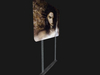
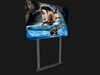
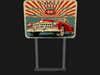
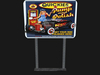
-Slideshow Sign-
Whats in the box?
-Slideshow Sign-
.1 Slideshow Sign - Land Impact 3
Copy/Mod/No Trans
-Slideshow Sign:
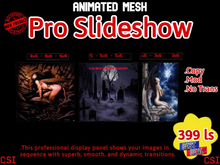
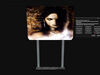
▶ A smart screen that automatically scrolls through your images, allowing you to present photos, textures or advertisements in a professional and fully automated slideshow.
▶ Make a visual statement for your club or store!
▶ This system allows you to display your images in sequence with superb, smooth, and dynamic transitions.
▶ Easy-to-Use Interactive Menu.
▶ Use the UUIDs of your textures stored in a notes card instead of having the textures in the object.
▶ 100% Mesh.
Instructions for use:
=======
➤ Rezz the 'Slideshow Sign'.
➤ Right-click on the 'Slideshow Sign'.
➤ Add the UUID of your textures to the 'Config Slideshow' note card.
➤➤ Using the Menu:
Touch the concrete base of the 'Slideshow Sign' to open the settings menu:
- Main Options:
☑ IMAGES: opens submenu to change the displayed image.
☑ TOUCH MODE: opens submenu to change the touch mode.
▣ Click: image transition on click (off when all are deselected).
▣ Slide: image transition on slide left and right.
▣ Slide: image transition on slide left and right.
☑ TRANSITION: opens submenu to change image transition.
▣ Forward: click goes to next image.
▣ Reverse: click goes to previous image.
▣ Random: random or put current image on Display face.
▣ One: change only one image.
▣ Parallel: change all at the same time.
▣ Serial: change one after another.
▣ Sequential: all are faded out, then all new faded in.
▣ Auto: set auto timer from a list of preconfigured values (see config).
☑ FADE MODE: opens submenu to change the fade mode.
▣ Random: randomly select one of the following (off when all are deselected).
▣ Black: fade to black.
▣ Trans: fade to transparent.
▣ Scale: scale up, optionally duplex.
▣ Enlarge: scale up around the center, optionally duplex.
▣ Reduce: scale down around the center, optionally duplex.
▣ Rotate: rotate, optionally duplex.
▣ Left: slide left, optionally duplex.
▣ Right: slide right, optionally duplex.
▣ Glow: glowing effect.
▣ Color: fade to (darker) color (value can only be set in config).
☑ Restart: restart image set from the beginning.
☑ Reload: reload config and restart.
☑ Reset: reset the script.
☑ ACCESS: opens submenu to change the access level.
▣ All: everyone can access the slideshow.
▣ Group: only group members and owner can access the slideshow.
▣ Friends: only friends can access the slideshow.
▣ Owner: only owner can access the slideshow.
☑ CLOSE: closes the menu.
● Tips:
To swipe images left or right without using the menu.
Touch the left post to go to the previous image.
Touch the right post to go to the next image.
-Look my others item
-Mesh, animesh,cars,gadgets,animals... is more.
-Enjoy-
* English translation by Google
- Slideshow Sign
- Make a visual statement for your club or store!
- Land Impact 3
- 299 ls