![[bbS] CasperLet Renter Pic - RETIRED PRODUCT (See Description)](https://slm-assets.secondlife.com/assets/17021317/lightbox/casperlet-renter-pic-info.jpg?1493146735)



!!! RETIRED PRODUCT !!!
New version here:
https://marketplace.secondlife.com/p/bbS-CasperLet-Renter-Pic-Adboard/20550738
UPDATED Oct. 14, 2020 -- 3.0 Online status added! (No new feature additions will be made to this version of Renter Pic but bug fixes/optimization will continue + Free Updates.)
This product is an add-on for the CasperLet Elite Rental System. If you are not the OWNER of the CasperLet Elite Rental System you wish to use this product with, you have made a mistake in purchasing this product. And because this product is MOD/COPY we do not issue refunds. Sorry!
===== WHAT DOES THIS PRODUCT DO? =====
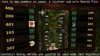
• NEW with v3.0! -- Online Status version included. Shows an online indicator when the Renter/Reserved User is online.
• Displays the user profile picture of the avatar that is currently renting a unit if the unit is OCCUPIED.
• Displays the user profile picture of the avatar that a unit is currently reserved for if the unit is RESERVED.
• Displays "Available for rent" image if the unit is AVAILABLE for rent.
• Displays "Locked" image if the unit is currently LOCKED.
• When clicked, sends an instant message stating the cost per week, land impact allowance, and status of the unit (Available/Rented/Reserved/Locked). Includes the name of the avatar renting the unit if it is currently rented. Includes the name of the avatar a unit is reserved for if the unit is reserved.
• You may replace the "available" and "locked" textures/images in the object's inventory with your own, FULL-PERM images. (Simply rename your images with the exact same names "available" and "locked" and be sure to delete/remove the default images from the object's contents).
===== SETUP INSTRUCTIONS =====
1) Choose which Renter Pic or AdBoard product you will be using.
a. [bbS] CasperLet Rental Pic -- Simple, flat, 2-sided unframed mesh. NO Online Status indicator.
b. [bbS] CasperLet Rental Pic (Framed) -- Stylish, framed mesh. NO online Status indicator.
c. [bbS] CasperLet Rental Pic (Online Status) -- Looks similar to the simple unframed mesh but has Online Status indicator.
d. Use your own object -- NO Online Status indicator.
--- Optional / For Advanced Users ---
If you'd like to use your own prim/mesh object instead of the ones provided, we've included a stand-alone script and the textures for you to drop into the contents of your custom object. (All three of these items are required in the contents of your custom object):
• (script) [bbS] CasperLet Renter Display - Choose Custom Prim Face#
• (texture) locked
• (texture) available
It is your responsibility to find out which texture face is the correct number for your custom object. We do NOT recommend using NO-COPY/Gacha objects as your CasperLet Rental Pic display unless you know what you are doing. For your convenience, we've included a "Say Prim Face Number" script.
2) Copy the UUID of the CasperLet Rental Meter you want the display to sync up with.
3) Paste the rental meter's UUID into the [bbS] CasperLet Rental Pic or AdBoard's DESCRIPTION.
4) Touch the display to sync.
!!!IMPORTANT!!!
DO NOT RESET THE SCRIPT!!! Resetting the script of the CasperLet Rental Pic WILL unsync it from its rental meter and you will have to go through the setup instructions again from step 2!
===== TROUBLESHOOTING & CAVEATS =====
Q. The Online Status version is taking too long to switch statuses!
A. The online status version sends a request to check if the avatar is online/offline every 60 seconds, so please be patient.
Q. A new renter has paid the rental meter, but the display is not switching/showing their user profile picture!
A1. If you touch the display to sync it up with the rental meter and the user profile picture is still not showing up, please be sure that the UUID of the rental _meter_ is entered correctly in the DESCRIPTION of the CasperLet Rental Pic display. No spaces before or after the number. Dashes are included in the UUID. Example: 00000000-0000-0000-0000-000000000000
A2. Double check the renter's user profile to see if they actually do have a profile picture set. If the renter does not have a profile picture set, the CasperLet Rental Pic display will just show a blank grey texture.
Q. The display is not syncing up with my rental meter at all!
A1. Please be sure that the UUID of the CasperLet rental _meter_ is entered correctly in the DESCRIPTION of the display. No spaces before or after the number. Dashes are included in the UUID. Example: 00000000-0000-0000-0000-000000000000
A2. This display will NOT sync with the UUID of a CasperLet S|_AVE rental box or meter. Please find the UUID of the original rental meter/box even if you are using S|_AVES.
Q. Can I put the "Choose Custom Prim Face#" script inside the Rental Meter itself if I have a custom mesh meter?
A. No, because CasperLet uses item object descriptions for their own data purposes and would cause conflict.


Amazing.
This is pretty amazing really. I'd been looking for something to sync with my casper rental system that would allow it to automatically set itself when a rental was rented. This does just that. The only thing that I'd wish it'd also do is show an online/offline status and allow you to put information into it such as a notecard, landmark and allow the renters to change their photos if they wished. If this does get updated to allow for that, I'll put 5 stars on!
![[bbS] CasperLet Renter Pic & Adboard](https://slm-assets.secondlife.com/assets/27588979/view_small/casperlet-renter-adboard-info.jpg?1602709365)