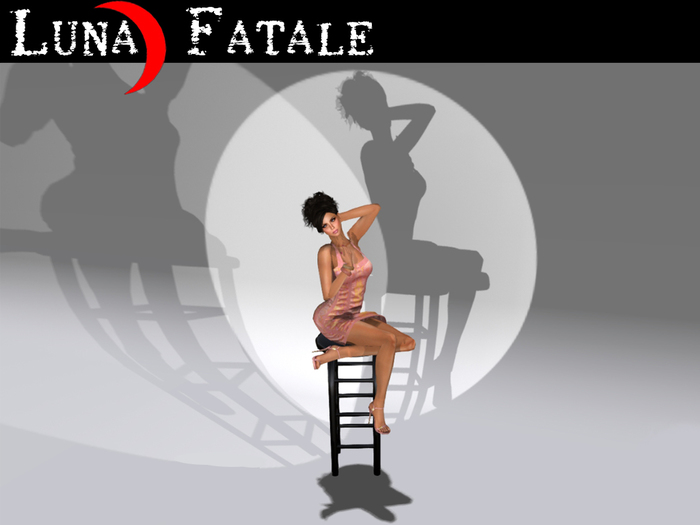

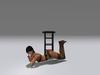
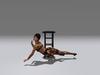
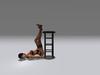
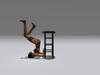
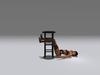
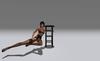
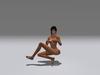
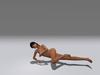
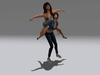
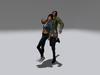
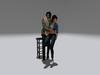
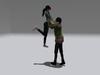
This companion product for our well-known animated easels also makes a great home furnishing or decor accent. The stool is loaded with twelve (12) high-quality animations for male and female avatars. There is a robust adjustment tool for personalizing the pose positions and rotations to fit your avatar; the adjustment for each pose is stored individually and recalled when you change poses. And, like the easels, the shadow is configurable to accommodate four (4) different lighting directions.
This is not a static pose stool, all the poses are quality animations. Visit our in-world store to see a demonstration.
Easel not included, see Related Items below.
======================================
■ FEATURES:
▶ No pose balls: No unsightly pose balls to clutter up your home
▶ Ease of use: Features are menu driven, no notecards to edit
▶ Low Prims: Only one (1) prim is required for the basic stool
▶ Pose Adjustment: Menu driven pose adjustments to fit your avatar size
▶ Resize Adjustment: Menu driven resizing, the stool will fit any home
▶ Twelve (12) animations: Six (6) female, three (3) male & three (3) female model animations
▶ Quality Sculpts and textures: Matches our popular easels
▶ Realiztic configurable shadows to match your homes lighting arrangement (4 choices)
▶ Lifetime Free Upgrades
======================================
■ CONTENTS:
▶ Animated Pose Stool with shadow: 2 prims
▶ Animated Pose Stool (NS) No Shadow: 1 prim
(both are preloaded with 12 animations)
======================================
■ INSTRUCTIONS:
▶ To sit on the stool simply mouse over it and click when you see the sit icon.
▶ To obtain the Help notecards touch the stool while seated and press "Get Help".
Note: Optionally you may right-click the stool when you are not seated and press "Get Help".
▶ To obtain the Pose selection menu touch the stool while seated and press "Poses..."
Note: Visit our in-world store to see a demonstration.
▶ To obtain the pose Adjust menu select "Adjust..." from within the Poses menu.
▶ To configure the shadow touch the shadow while seated. There are four (4) choices.
Note: Optionally you may right-click the shadow when you are not seated.
▶ To resize the stool right-click the stool and select "Touch" from the dialog box, then select "Resize..." from the menu.
Note: No one can be sitting on the stool during the resize.
- Low Prims: Only one (1) prim is required for the basic stool
- Pose Adjustment: Menu driven pose adjustments to fit your avatar size
- Resize Adjustment: Menu driven resizing, the stool will fit any home
- Twelve (12) animations: Six (6) female, three (3) male & three (3) female model
- Lifetime Free Upgrades


What a wonderful addition to the Artist Easel
I own one, bought one for a friend as well. Thats how much I love it. The shadows move to where they are most realistic and the poses are set for an average avi but can be edited easily. If you bought the easel you have to buy the stool too. Makes great poses for photos. I love Wendi's work. Customer services is incredible. You will not be disappointed. I would recommend any of Luna Fatale products with no hesitation.


