![[SSSD1114] Heavy Punching Bag Delivery Box 4.0](https://slm-assets.secondlife.com/assets/34679971/lightbox/SSSD1114%20Heavy%20Bag%20Advert%20card%201%20%28C-M-NT%29.jpg?1707189399)
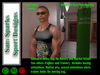
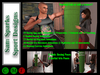
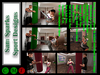
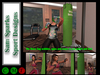
Welcome to the Sam Sparks Heavyweight Punching Bag
[SSSD1114] Heavy weight Punching bag 5 LI
L$699
This Punching bag is designed to support boxing and martial art practice. Rather than having the heavy bag stay static as the athlete punches or kicks the bag, this bag is designed to wobble and spin when being struck. This is a unique feature that sets this Heavy bag apart from all others available in Second Life. As is the case with other Sam Sparks sports equipment is jam packed with animations and poses to take your workouts to new levels.
This Punching bag contains both boxing bag work, shadow boxing, warmups, martial arts bag work and martial arts movements involving one or two people. One person serving the role of the athlete and them other serving as a trainer who either holds the heavy bag or can converse with the athlete during non-bag work activities,
19 Boxing Bag work Animations (3 Preparation, 1 footwork and 15 Punching)
2 Shadow Boxing Animations
13 Martial Art Bag work Animations
30 Martial Arts Movement Animations (2 Meditation and 28 movements)
22 Warmup Exercise Animations
3 Static Boxing Poses
2 Martial Arts Poses
In addition to the exercises, you are also able to rezz a stereo and listen to the included motivational music (10 songs)
Aint't Nobody by LL Cool J
Believer by Imagine Dragons
Eye of the Tiger by Survivor
Firework by Katy Perry
Hungry Like the Wolf by Duran Duran
One by METALLICA
Part of Me by Katy Perry
Roar by Katy Perry
Unstoppable by Sia
We are the Champions by Queen
Green Boxing gloves are available to wear automatically for bag work through the AV sitter system. A copy and mod version is included in the delivery box.so you can color the various faces any color you desire. NOTE: You may want to ALPHA your hands to hide parts of the hand while wearing them.
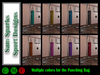
The color of the actual punching bag can be changed by simply clicking on the bag and cycling through the choices of green, blue, purple, pink, red, yellow , orange. teal. and gray.
HOW TO USE:
To Use the [SSSD1114] Heavy weight Punching bag, you want to click on the base that holds the punching bag and select sit. Once you sit. you will be presented with a menu that allows you to select Workout*, Posing*, Rez Stero or [Clear]. Selecting Workout* sends you to the workout menus, Posing sends you to the various poses available for taking static pictures and the Rez stereo and Clear either makes the stereo visible or invisible (Note: The stereo is a temp rez and does not contribute to the land impact except when using the punching bag, when the last sitter disconnects from the punching bag, the stereo automatically disappears). If you select Workout*, you will be able to choose between Solo workout and with Trainer workout.
It is my hope and desire to deliver workout machines and equipment that go beyond your imagination and expectations and attempt to simulate as close to a real-world experience with them as possible, I am always dreaming of new ways to accomplish this and hopefully you find this fun and easy to use.
PERMISSIONS
- Punching Bag and Stand: Yes modify, Yes copy, No transfer
- Animations: No modify, Yes copy, No transfer (AVPos card is full permissions in case you would like to add more animations)
- Scripts: No modify
===================================================
+++ MOVING THE PUNCHING BAG +++
WARNING: Moving the Punching Bag requires a careful set up. In particular, you will need to do the following:
1. Right click the base component and then click edit and then while holding the shift key, click on the bag component. (Doing this will highlight both components so you can move them as one element).
2. Move the entirety to where you wish to have it positioned, If you press the CTRL key, you will be able to rotate the entirety to the orientation that you wish.
3. Once the entirety has been positioned to where you want it, YOU WILL NEED TO DO ONE ADDITIONAL THING so the bag component stays attached to the base component. In order to accomplish this, right click on the bag component, and click edit. In the edit dialog box, click the Content tab and then click Reset Scripts button.
4. When you do this, a dialog box will appear and click on the "OK" button.
5. Once you have done this, everything is set and you can begin to use your Punching bag by right clicking the base and selecting sit,
Veja o item no Second Life Visualizar vídeo »


![[SSSD0227] SYTYC Dance Barre Delivery Box](https://slm-assets.secondlife.com/assets/32909433/view_small/SSSD%20Sea%20Dragon%20Sport%20Designs%20SYTYCDBarre%20Advert%20card1.1.jpg?1676876223)
![[SSSD1003] Singin' In The Rain Lampost dancer Delivery Box](https://slm-assets.secondlife.com/assets/33011723/view_small/SSSD1003%20Singin'%20In%20the%20Rain%20Advert%20card%20new.jpg?1678484718)
![[SSSD062823] Swim Spa Delivery Box](https://slm-assets.secondlife.com/assets/34138697/view_small/SSSD%20Swim%20Spa%20Advert%20card%201%20%28C-M-NT%29.jpg?1697805927)