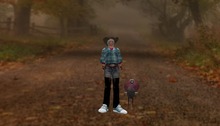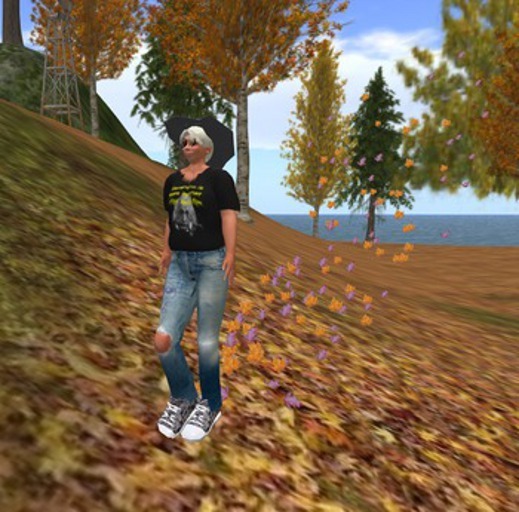


Nothing says autumn like LEAVES! At the Wingsong Dojo, we put autumn leaves in your step with the Wingsong Leaf Walk. When you walk, run, or fly your feet or shoes will emit two different maple leaves in your wake, and you can hear a very faint crunching leaves sound.
Included in this simple yet powerful package are three items:
1 - Wingsong Leaf Walk: ADD these two invisible balls from your inventory (one for each foot, naturally) for when you want to kick up leaves wearing your own shoes or go barefoot. When finished, DETACH them through your Inventory or your Edit Outfit menu. Do NOT drop them; they are invisible and you'll wear your eyeballs out looking for them in the grass. Also, if you click on your feet while wearing your Wingsong Leaf Walk you may inadvertently turn your emitting engine off. No problem - just click your feet again.
2 - We're also including a pair of Wingsong High Tops, slightly over-sized for a comic look. They are covered with a blue/grey camo texture but you can change out the texture and color any way you like. To wear your shoes, remove your other shoes. Then find each of the Wingsong High Top Shoes HF Camo (left and right) in your Inventory and select WEAR. Predictably, they will attach to your feet.
If you want to wear the shoes without the leaves emitting from them, simply click on the soles of the shoes. If you want to wear the balls or the shoes without the sound of crunching leaves, type "/3 off" in the local chat window. To turn the sound back on type "/3 on" in the local chat window. Without the quotation marks.
3 - And I don't know about you but something about the leaves in the fall makes me want to skip. So we're including a specially configured Wingsong Skipping Animation HUD with an original Wingsong animation designed especially for this package. VERY easy to use. Turn off any other AO you have on and ADD your HUD from your inventory. It will position itself near the center top of your computer screen. To access your skipping behavior, click on the HUD and select 1 - Skip! You'll keep skipping whether you're walking or not until you get tired, emitting gorgeous little leaves behind you. When you're finished skipping, click on the HUD and select STOP. You can then DETACH the HUD and it will return to your inventory safe and sound.
As an added bonus, we're including a FREE Wingsong Turkey Shoulder Buddy. Beyond the obvious cute factor (seriously - LOOK at that face!), your Wingsong Turkey Shoulder Buddy has blinky/winky eyeballs.
Tail feathers, legs, wings (such as they are) and that little red dangly thing on the beak that I'm too lazy to find out what it's called are all flexi prims to add a bit of animation!
Several fun sounds - touch the wings and legs to hear him gobble on command. Touch the tail feathers to have him gobble randomly every 3 to 5 minutes; and touch the tail feathers again to turn off the random intermittent sounds.
ADD your Wingsong Turkey Shoulder Buddy from your Inventory - he attaches to your left shoulder.
For even more fun, grab one of our Wingsong Navigation HUDs, sold separately!
AND - everything in this package is COPY/MOD, so make all the copies you want and recolor, redecorate, resize, retexture, reDO to make it fit YOUR specs! I'm even throwing in a FREE Wingsong Modify Box, a simple, easy to use tutorial for folks with little experience in the EDIT tool.
Can you believe - this much fun for so little moolah????
For questions or a live demonstration of this or any of our fine/fun Wingsong products, IM Kit Ciaco!
See item in Second Life