
Here’s the thing: most snow effects in Second Life look fine for about ten seconds, then feel fake, repetitive, or completely out of control. They start instantly, stop abruptly, and give you zero flexibility once they’re running. This script exists because of that problem.
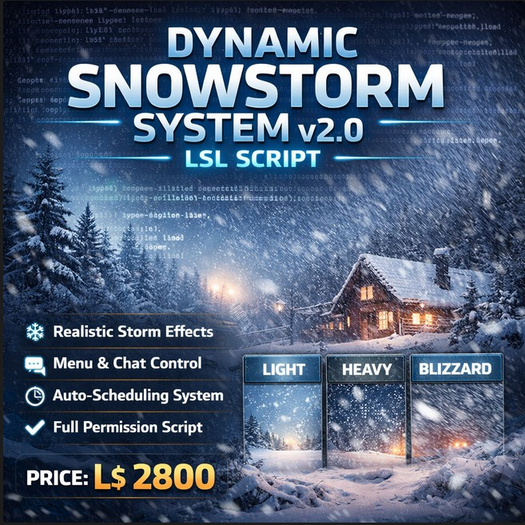
Dynamic Snowstorm System v2.0 is not just a particle emitter. It’s a complete, state-driven weather system built in LSL, designed to behave like an actual storm. It ramps up naturally, hits a peak, sustains intensity, and then fades out smoothly. No hard cuts. No sudden silence. No visual shock to your region.
This is a full-permission LSL script, written cleanly, documented clearly, and ready to sell, modify, or drop straight into production. It includes a user guide, making it suitable not just for experienced scripters, but also for land owners, venue managers, and creators who want professional results without digging into code.
Let’s break down what makes it different.
At the core of the system is a four-state storm engine: Idle, Ramp Up, Peak, and Ramp Down. Every storm follows this lifecycle automatically. Intensity is calculated continuously using timers, not loops or hacks, which keeps the script efficient and predictable. As intensity changes, particle density, speed, radius, gravity, transparency, and sound volume all update in real time. The storm doesn’t just look stronger — it behaves stronger.
You get three built-in presets: Light, Heavy, and Blizzard. Each preset has its own radius, particle density, speed, ramp rate, and duration. Light snow is gentle and atmospheric. Heavy snow fills the area with motion and sound. Blizzard mode is aggressive, wide, fast, and dramatic — perfect for events, roleplay, winter sims, or cinematic scenes. These presets aren’t hardcoded limitations either. Every value can be adjusted or expanded if you want to add your own storm types.
Control is where this script really shines.
The system includes a secure dialog menu, accessible by touch and limited to the owner. From the menu, you can start any storm preset, stop it gracefully, or instantly abort everything in an emergency. You also get access to an auto-schedule system, allowing storms to restart automatically every 10 minutes, 30 minutes, 1 hour, or 4 hours. This is ideal for clubs, regions, or experiences where you want weather to feel alive without constant manual input.
If menus aren’t your thing, chat commands are also built in. Simple, readable commands like /1 start heavy, /1 stop, or /1 abort give you fast control during setup or testing. The command channel is configurable, so you’re not locked into defaults that might clash with other systems.
Visually, the particle engine is tuned for realism and performance. Particle emission rates adapt dynamically based on intensity, preventing particle spam during low activity while still delivering dense visuals at peak moments. Wind influence is enabled, gravity increases as storms intensify, and particle size subtly changes to sell depth and motion. You can swap textures easily, either by dropping one into the object’s inventory or by using UUIDs. The same applies to sound — the script preloads and smoothly fades wind audio instead of blasting it on or off.
Sound design is treated with the same care as visuals. Wind volume scales with storm intensity, starting silent, building naturally, and fading out as the storm subsides. This avoids one of the most common immersion killers in SL weather systems: sudden audio jumps.
From a technical standpoint, the script is clean and safe. Listeners are managed properly, menu channels are randomized to avoid interference, and timers are reused intelligently for both animation and scheduling. When the storm is idle, unnecessary systems shut down. That means less lag, better region health, and fewer surprises.
Because this is sold with full permissions, you’re not boxed in. You can resell it, bundle it with builds, include it in seasonal products, or customize it for clients. The included user guide explains setup, usage, commands, menus, and common customization points, so you’re not handing buyers a mystery box.
This script works perfectly for winter regions, holiday builds, roleplay sims, clubs, photo studios, cinematic machinima, themed events, and immersive experiences. Drop it in, touch to control, and let it run — or dig into the code and shape it into something entirely your own.
In short, this isn’t a snow effect. It’s a weather system. And once you use it, going back to basic emitters feels primitive.
- Realistic multi-stage storm lifecycle with smooth ramp up and fade out
- Touch menu + chat command control with secure owner access
- Auto-schedule storms at fixed intervals without manual input
- Dynamic particle and sound scaling based on live intensity
- Full-permission LSL script with included user guide