
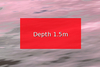
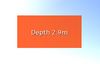
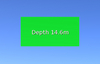
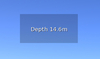
The Furious Depth Monitor is a simple HUD that shows the current water depth in meters, with optional alerts for shallow water.
HUD Modes
The HUD can operate in two modes. To switch between them, simply touch the HUD.
Silent mode - In silent mode, the current water depth will be displayed whenever you are over water. No warnings or alerts will be signalled, and the HUD will remain a dark color at all times.
Alert mode - In alert mode, the current water depth is constantly compared to two values, a warning depth and an alert depth:
• While the water depth is greater than the warning and alert levels, the HUD will remain green.
• If the water depth is shallower than the warning depth, the HUD will turn yellow/amber.
• If the depth is shallower than the alert depth, the HUD will turn red and an alert sound will begin.
By default, the warning depth is set to 5m and the alert height is set to 2m.
Configuration
You can adjust the warning and alert depths, and also set the alert sound volume by setting three values in the HUD's object description, like so:
5;2;10
• The first value (5) is the warning depth in meters. The default warning depth is 5.
• The second value (2) is the alert depth in meters. The default alert height is 2.
• The third value (10) is the alert sound volume as a percentage. The default alert volume is 10%.
• You must separate each of the three values with a semi-colon (;).
After updating the description, reset the script to begin using the new values. It's also recommended to detach and reattach the HUD to ensure the change is saved permanently to the HUD.
Finally, you can replace the default alert sound by dropping your own sound into the HUD inventory.
Permissions:
Furious Depth Monitor HUD object: ☑ Copy | ☑ Modify | ☒ Transfer
Furious Depth Monitor script: ☑ Copy | ☒ Modify | ☒ Transfer
- Shows water depth at your current location.
- Warning and alert depth settings.
- Alerts by colour and/or sound.
- Customise alert depths and sounds.
- Silent mode (no alerting).