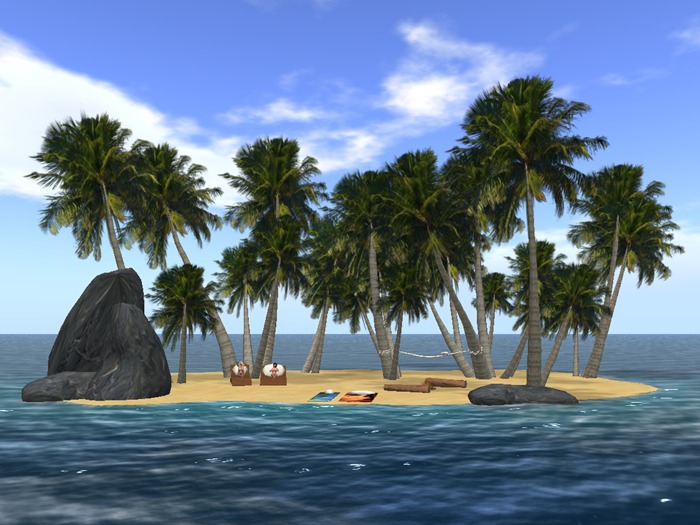
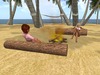
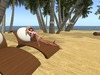
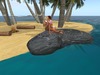
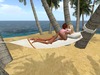
Now there is an amazing new WALKABLE interactive Offsim Island from Tropical Creations that makes offsim space able to be walked on as part of your land, not just something to look at from your sim and WISH you could walk there and use it.
YES YOU CAN NOW WALK OFF SIM TO AND AROUND ON YOUR OFFSIM ISLAND!
With this island you can walk to your offsim island on a hideable bridge, walk around it and relax in peace or snuggle with a friend. (max 2 users). It allows you for the first time to make use of the space beyond your sim and walk around on it or sit on any of the island furniture or beach spots like it was your land! It has 9 sitting areas featuring over 80 different animations in over 150 positions with adjustable sounds and an adjustable fire.
QUICK START
Just rez your island and position the yellow round root prim inside the edge of your land with your island at ocean height using edit. The yellow round root prim must be on your land. This prim will become invisible when you first sit to use the island. The island is fully linked so it can be moved or rotated as a single object.
On the main island menu you can perform set up functions such as setting admin & user permissions or move the island closer or farther relative to its root prim. The island can be moved over 30m (100 feet) offsim from its root prim by selecting "move island" from this menu. The sit cone can be moved inland on your land to rest on your beach if you have water at your sim edge so you can walk to your island all the way from your beach.
A pink cone that rezzes is used to initially sit on the island. All walking and sitting poses on the island require that you be already sat on it by sitting on the pink cone first. When you sit on it, you will be given a menu to choose your gender for appropriate waking animations and a bridge to the island will appear which can be hidden or shown by touching it. Walk to the island and touch the beach, hammock, towels, loungers, rock or logs by the fire to get a menu of animations to sit there. Touch the fire to change its intensity. Touch the trees to change the ocean, wind & seagull sounds and volumes. Select WALK from the sit menus to walk to another item to sit on. Use the furniture menu WALK button to walk around on your island.
ISLAND SETTINGS
Touch the pink sit cone to obtain the main settings menu. Only Admins can access this menu. The island can be moved over 30m (100 feet) offsim from the root prim. The cone can be moved inland from the root prim allowing you to cross over any water before the sim boundary, but the maximum distance the island or cone can be moved is determined by the distance between them.
Touch the bridge when using the island to hide / show it. The sit cone can be hidden / shown from the main settings menu.
Set your gender from the menu given when you first sit. You can change your gender at any time from the main settings menu when using the island. The gender chosen determines your walking animation and whether you get a male of female sit menu when sitting.
The Owner can set the Admin access in the main settings menu to owner only or group. (default is group admin)
User access can be set to Owner only, group or public. (default is public access)
Sounds can be adjusted by touching the trees. Ocean, wind & seagull sounds can be individually set to off, high or low. Or set all sounds to random or off. Touch the fire to change its intensity or turn it off. The fire sound will automatically change to suit the fire intensity.
To walk to or walk around on the island, just use the usual arrow keys to move or turn. When in walk or stand pose, you can adjust your avatar's height with the PgUp and PgDn keys.
Sit menus are obtained by touching the items on the island, this gives you a menu of animations to choose from. For couple anims, you can reverse the two poses by pressing SWAP. When sat, it will also give admins an adjust button to adjust the position of the animations being used.
If an avatar is already sat on an item in a couples animation, the second avatar will sit automatically when the item is touched.
ADJUSTING ANIMATIONS
The admin can adjust the animation positions. Touch the item that you are sat on and select ADJUST to obtain the adjust menu. If two avatars are sitting, you will be given the option of which avatar to adjust. Then select to change the offset or rotation.
Offset & Rotation menus - select the amount to change, then the direction of that change to adjust your position. After adjustment, save the new position.
Come and try the island in world at our beach and dolphin store! SEE HOW YOU CAN FINALLY REALLY USE THE LAND BEYOND YOUR LAND!
IM Crissi Yoshikawa or Avi Savira at Tropical Creations with any questions. Thank you and ALOHA!
Ver el artículo en Second Life- Offsim Tropical Island
- Walk and sit on it off sim
- 9 seating areas on the island with beach fire
- Use for one avatar or an av couple
- Built in tropical sounds


It is great and it works perfectly! I love it!
This Walkable Offsim is simply excellent. The quality, detail, and overall experience are outstanding, making it a truly immersive and enjoyable product.
I want to sincerely thank and congratulate the creator for such amazing work. I absolutely love your products — I also own the Orca Mother, the Baby Orca, and the Dolphins, and everything is simply spectacular. The realism, smooth movement, and care put into each piece really show.
Thank you for creating such beautiful and high-quality content. I’m a very happy customer and truly look forward to seeing more of your creations. Thank you so much! ♥
DONT BUY DOSEN'T WORK

VERY UP SET NOTHING HAPPEN AND I LOST MY MONEY
WOW!!!!
This is really awesome :))) I bought the Orca and love it and now this and I am amazed!!! Well worth the price, Great job!!! I am hoping a Lighthouse will be made to use like this :))
Cool
I like to just sit looking back and at midnight WOW just try it can't go wrong
Great product! Great Service! & Finally! Replaceable no-copy!!!!!!!!!!
Three great things to mention here. 1) The island works great when used as prescribed offsim. You can walk on it or use an array of beach furniture with solid/good quality poses. (Remember to walk back to land before standing!) 2) Great customer service to the extent the owner will come looking for you to fix a problem. Amazing! 3) I have been standing on my soap box for a long time preaching to people not to buy "no-copy" items, seeing how people lose these items to accidents and how creators generally refuse to replace them for fear of being ripped off. Well, that all changes with Crissi Yoshikawa the creator of this product. In her words, "We have scripted into our products the ability to determine if it is rezzed in world or not. And if it isn't we will happily replace it". And that changes everything!! I wish I knew other creators who did this as I would be glad to support them, but for now, cheers to Crissi for resolving this long-time issue! Crissi, thank you for replacing the item and thank you for your great customer service!
this is one of the best off sim islands i seen
this build is bad ass I LOVE IT i have dozons of off sim stuff over the years this is the first real walkable i seen . two thumbs up hell i throw up my toe too lol .. great work Crissi . oh its worth every linden....


